




Best WordPress Social Login & Registration Plugin
Social Login - WordPress / WooCommerce Plugin
Improve your store's customer experience, reduce registration friction, and speed up checkout by letting shoppers register and log in with the social accounts they already use. Our WooCommerce social login plugin supports Google, Facebook, Apple, LinkedIn, X (Twitter), Amazon, PayPal, and other supported providers, so customers never have to create another username and password. Manage everything from a single WordPress dashboard, including social account linking, email login, customizable login buttons, and built-in registration reports, to give customers faster access to their accounts and make repeat purchases more convenient.


Key Features of WooCommerce Social Login
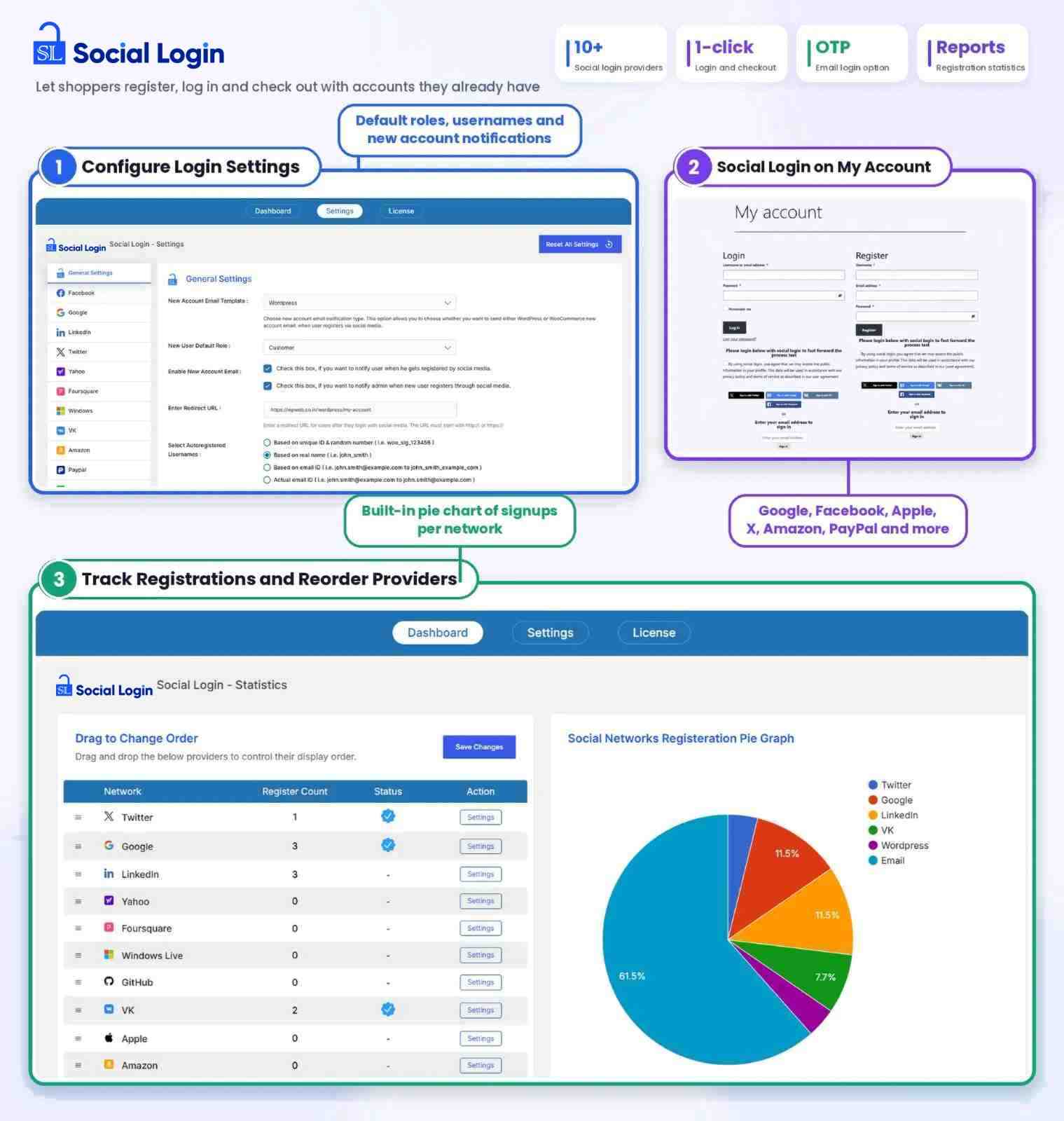
Make account access effortless for your customers. Explore features that simplify registration and login through their preferred social networks
One-Click Registration & Login
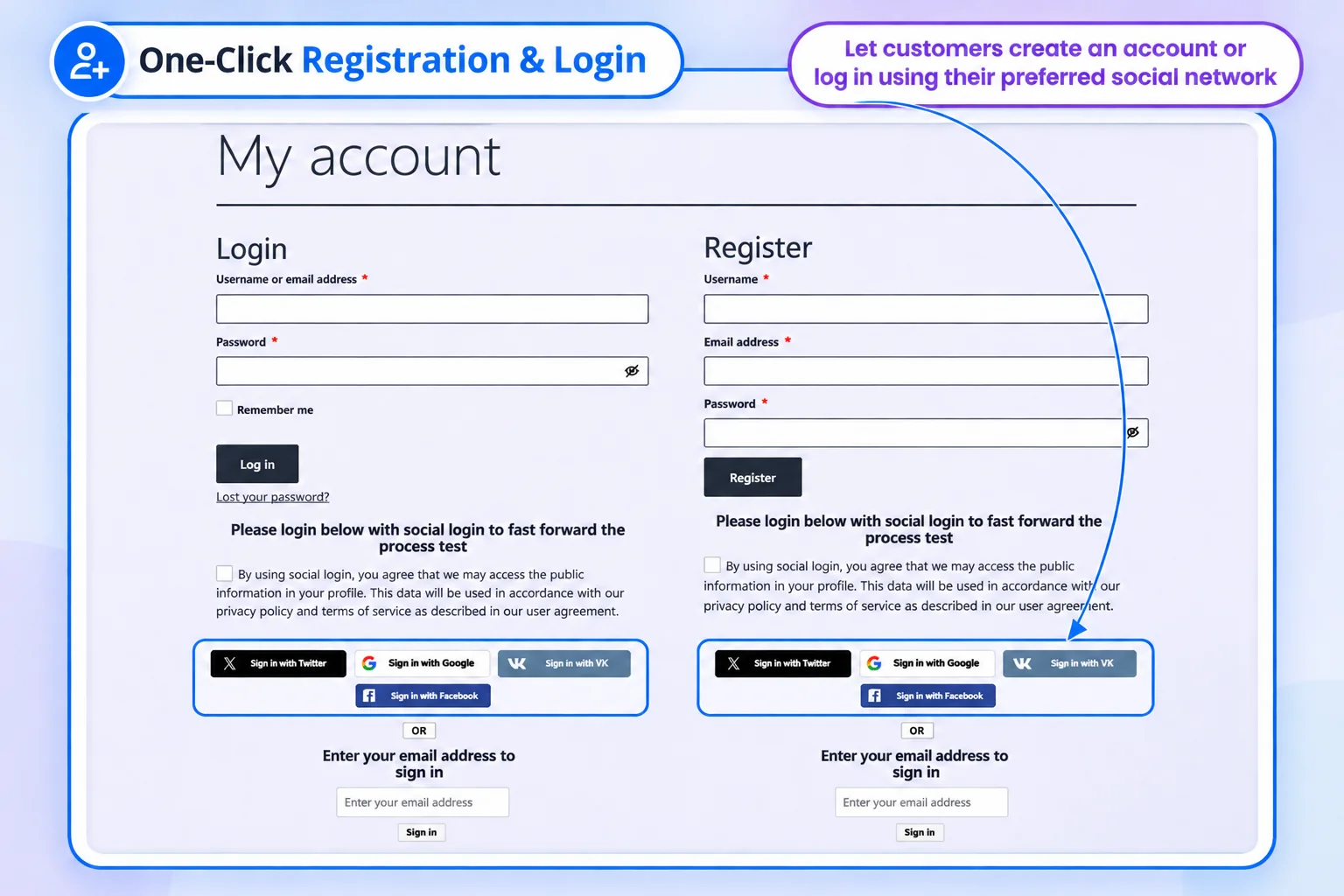
Our WooCommerce social login plugin lets customers create an account or log in with their preferred social network in a single click. It removes lengthy registration forms and forgotten passwords, helping shoppers access your website faster.
Seamless WooCommerce Integration
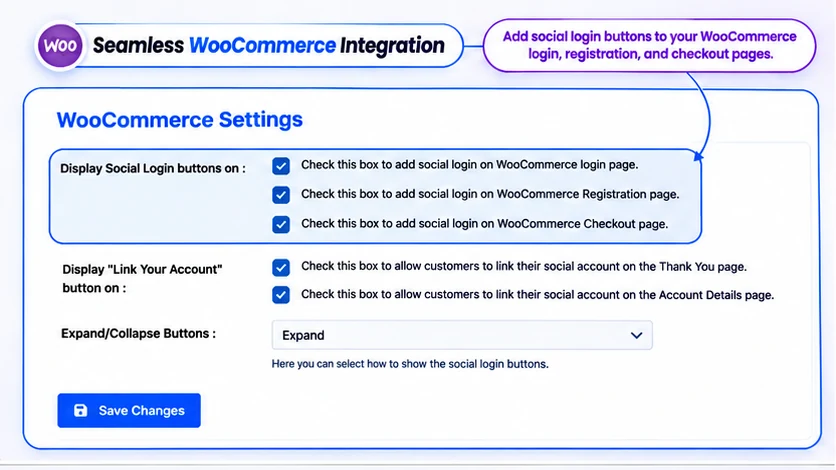
Our plugin adds social login buttons to your WooCommerce login, registration, and checkout pages. Customers can sign in or register during checkout and continue their purchase without a separate account registration process.
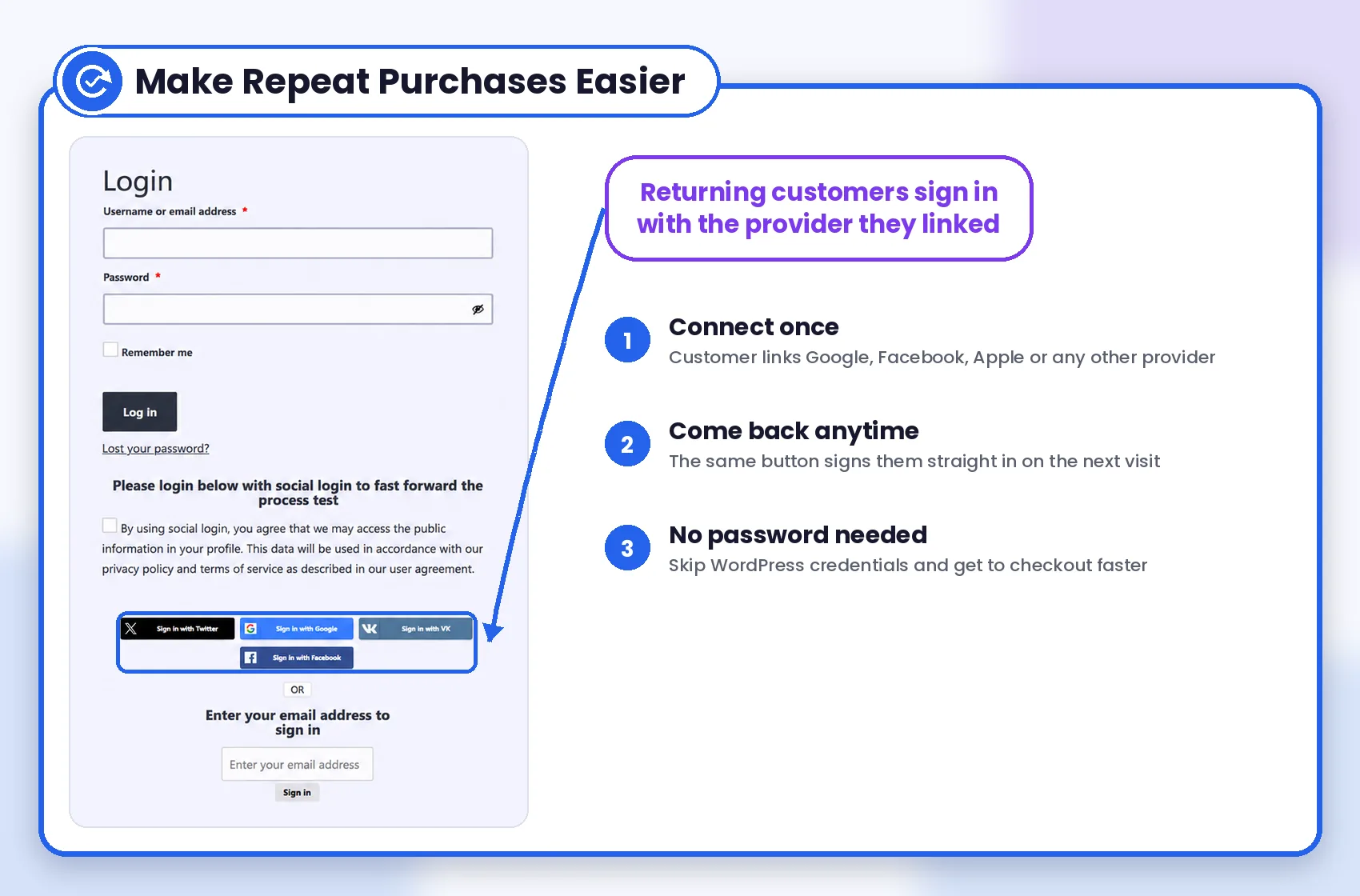
Make Repeat Purchases Easier
Once a customer has connected a social account, they can use the same provider to sign in again instead of entering their WordPress login credentials every time. This helps returning customers get back to their accounts and orders quickly.
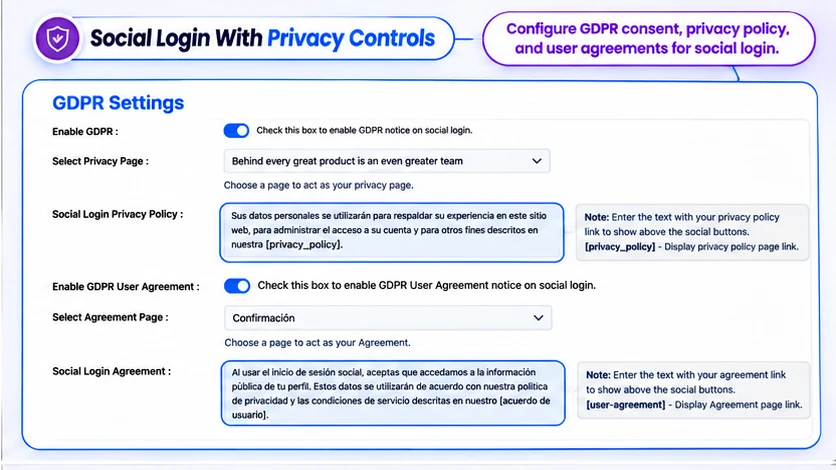
Social Login With Privacy Controls
Our social login plugin lets customers authenticate through supported providers while keeping their accounts connected to WordPress. Configure GDPR consent notices, privacy policy links, and user agreements to inform customers before they sign in.

Support for 12+ Social Login Providers
Offer login options through Facebook, Google, LinkedIn, X (Twitter), Yahoo, Foursquare, Windows Live, VK.com, Amazon, PayPal, LINE, Apple, GitHub, and WordPress.com. Enable the providers that suit your audience and manage the settings of each one individually.
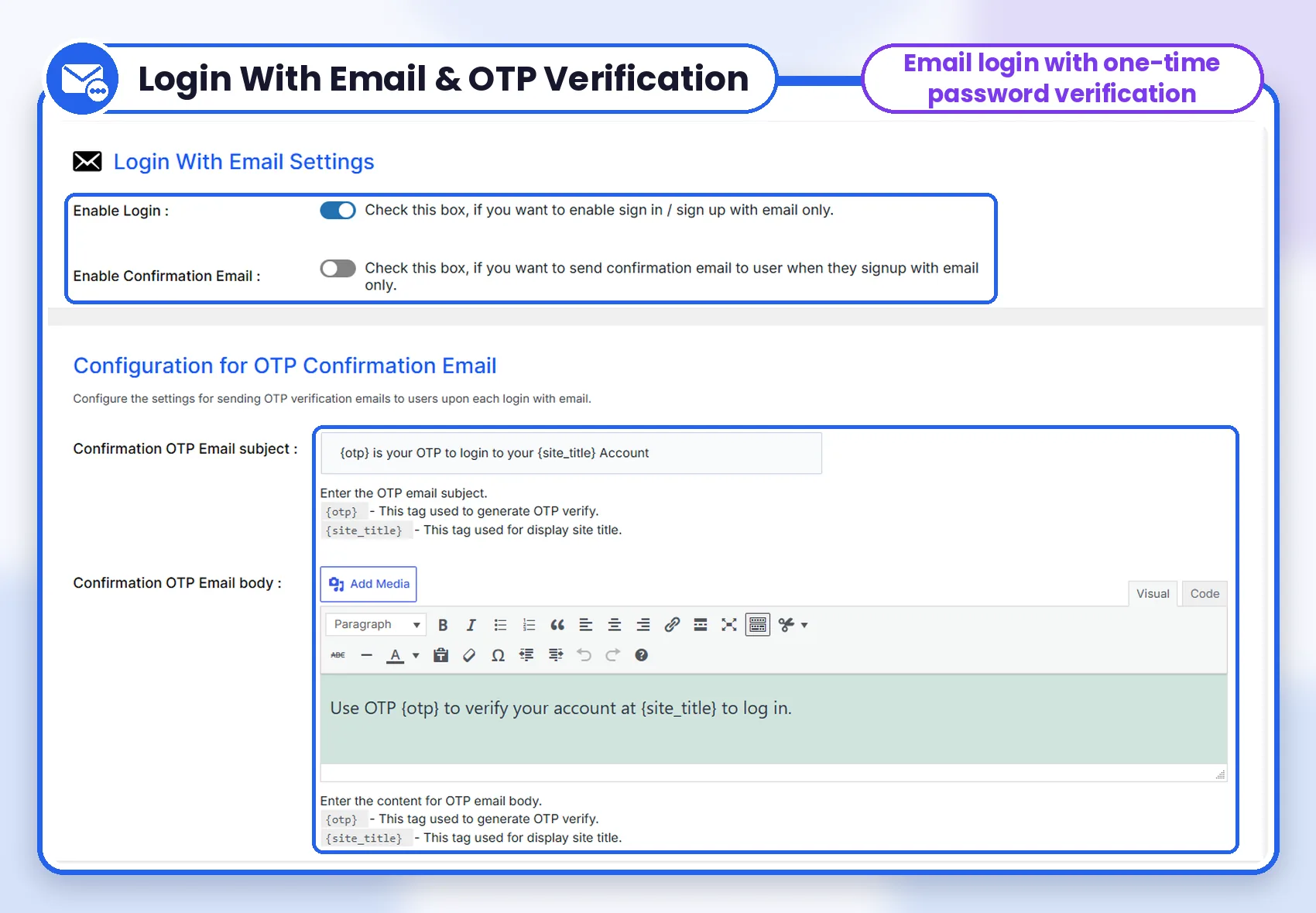
Login With Email & OTP Verification
Give customers another way to log in without a social account. Our plugin supports email-based login, email confirmation for new registrations, and one-time password (OTP) verification during the login process.
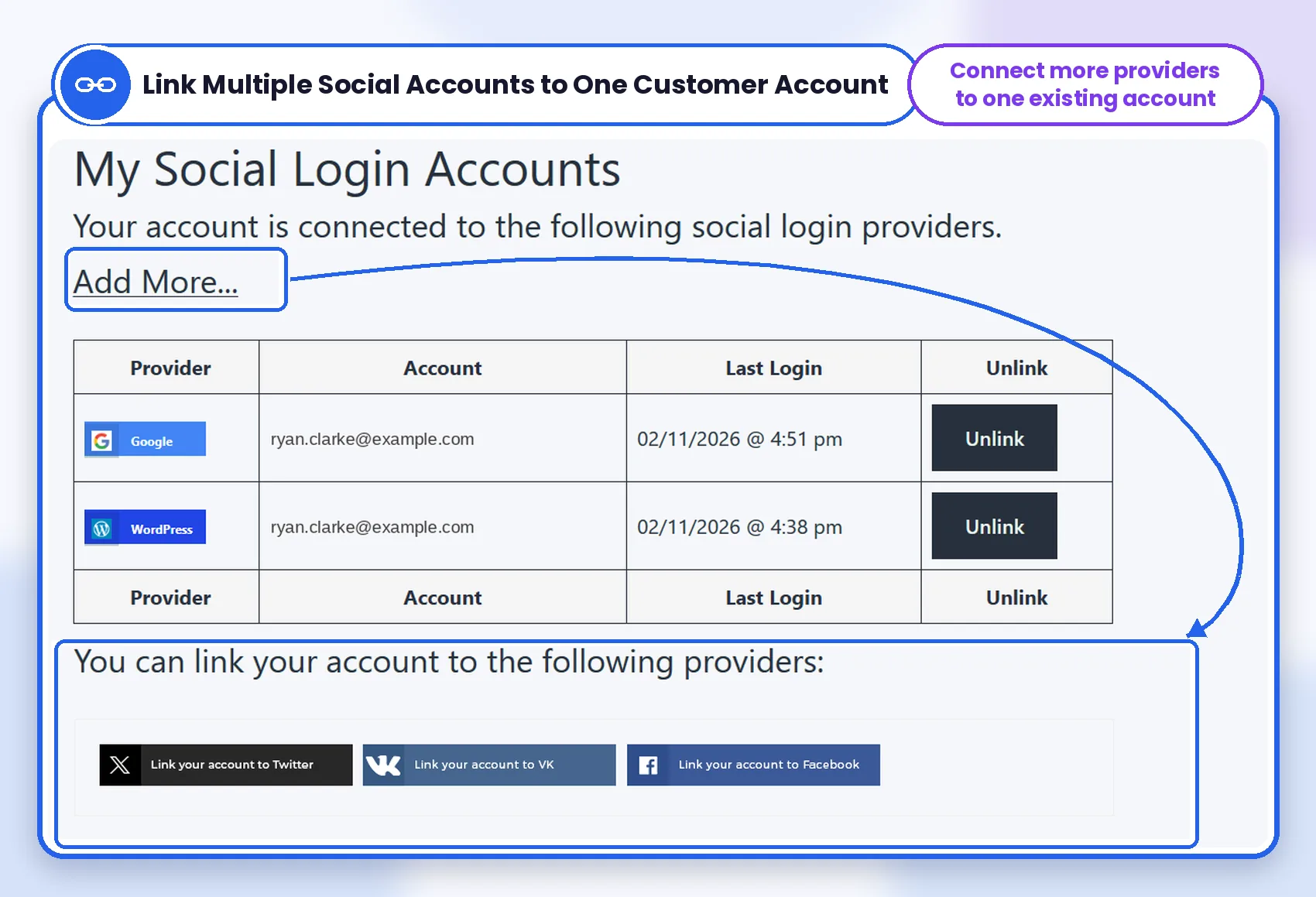
Link Multiple Social Accounts to One Customer Account
Customers can connect multiple supported social accounts to their existing WordPress account and use any linked provider to sign in, without creating a separate customer account for each social network.
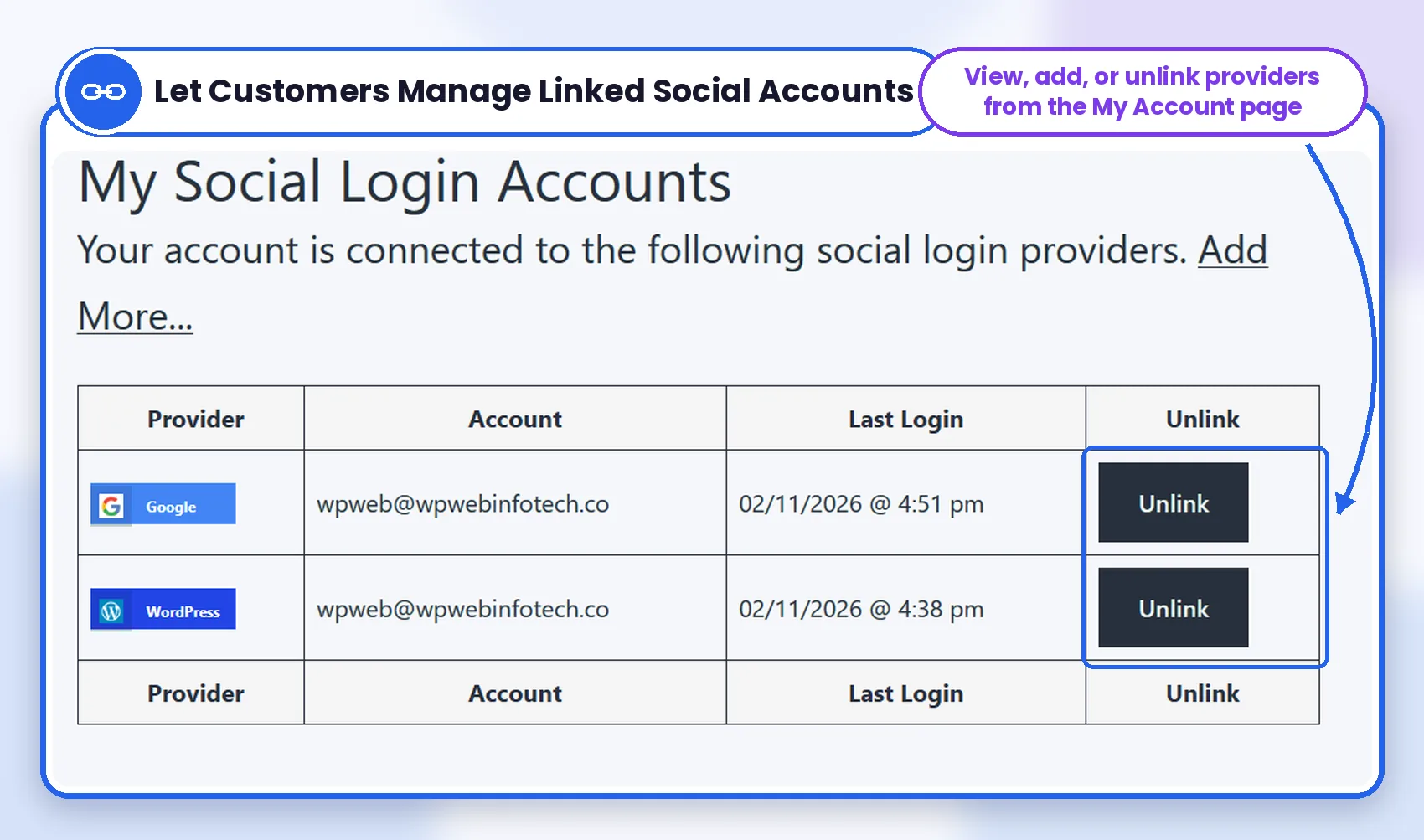
Let Customers Manage Linked Social Accounts
Customers get control over their connected login providers from the WooCommerce My Account page. They can view linked social accounts, check last login information, connect additional providers, or unlink accounts they no longer want to use.
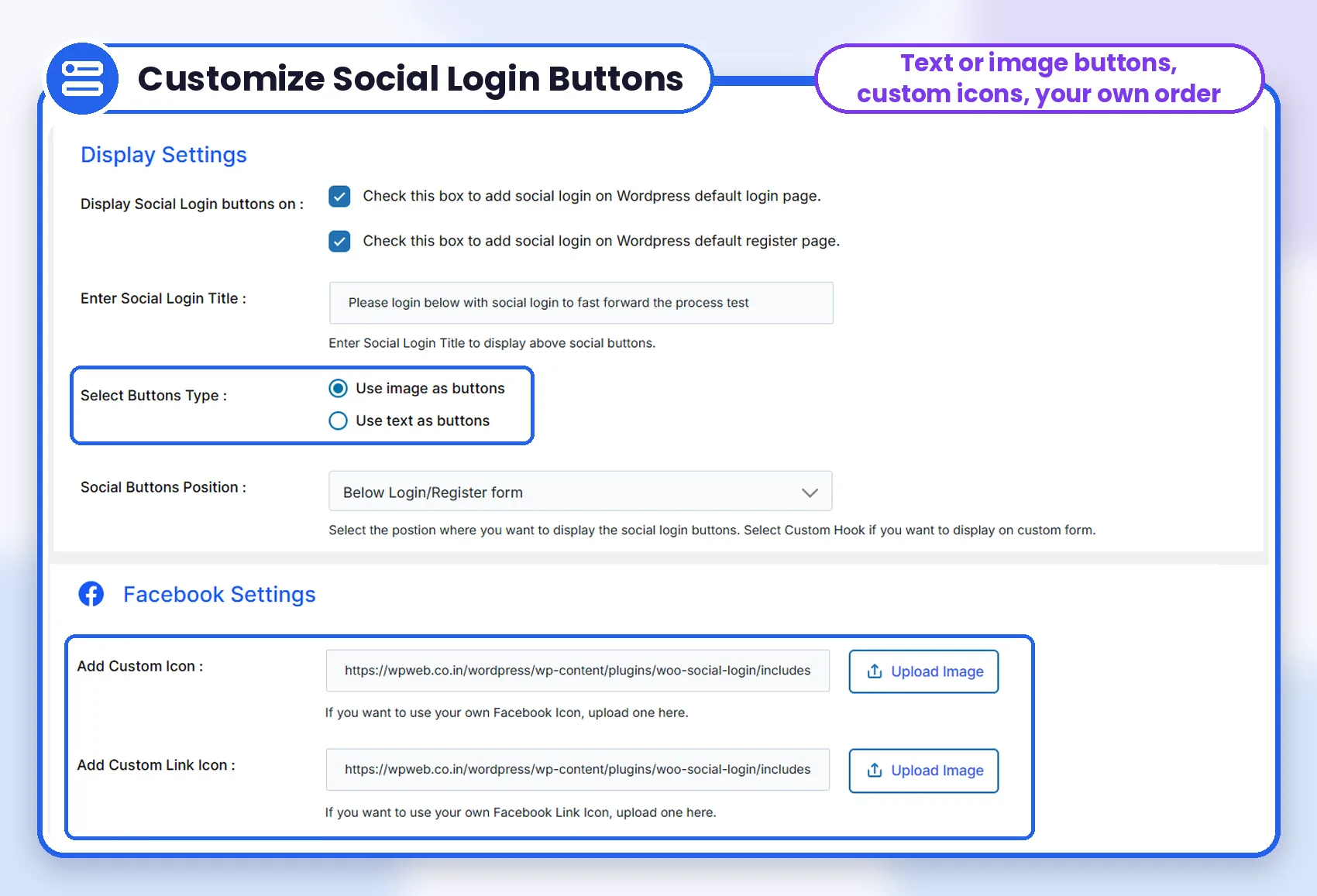
Customize Social Login Buttons
Choose how social login buttons appear on your website. Use text or image-based buttons, upload custom icons, change button labels, and arrange providers in your preferred order with drag and drop.
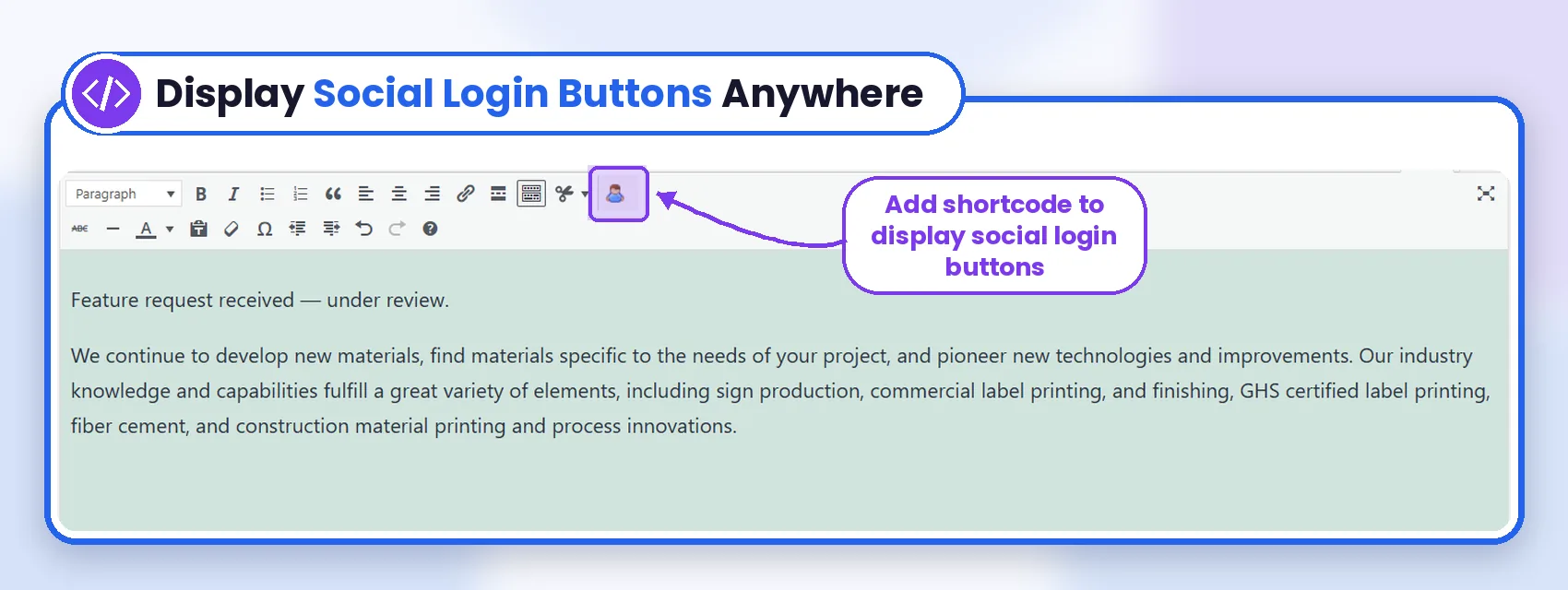
Display Social Login Buttons Anywhere
Add social login options to different areas of your WordPress website using the provided shortcode, Gutenberg block, or WordPress widget, and display them on selected pages, posts, or widget areas.
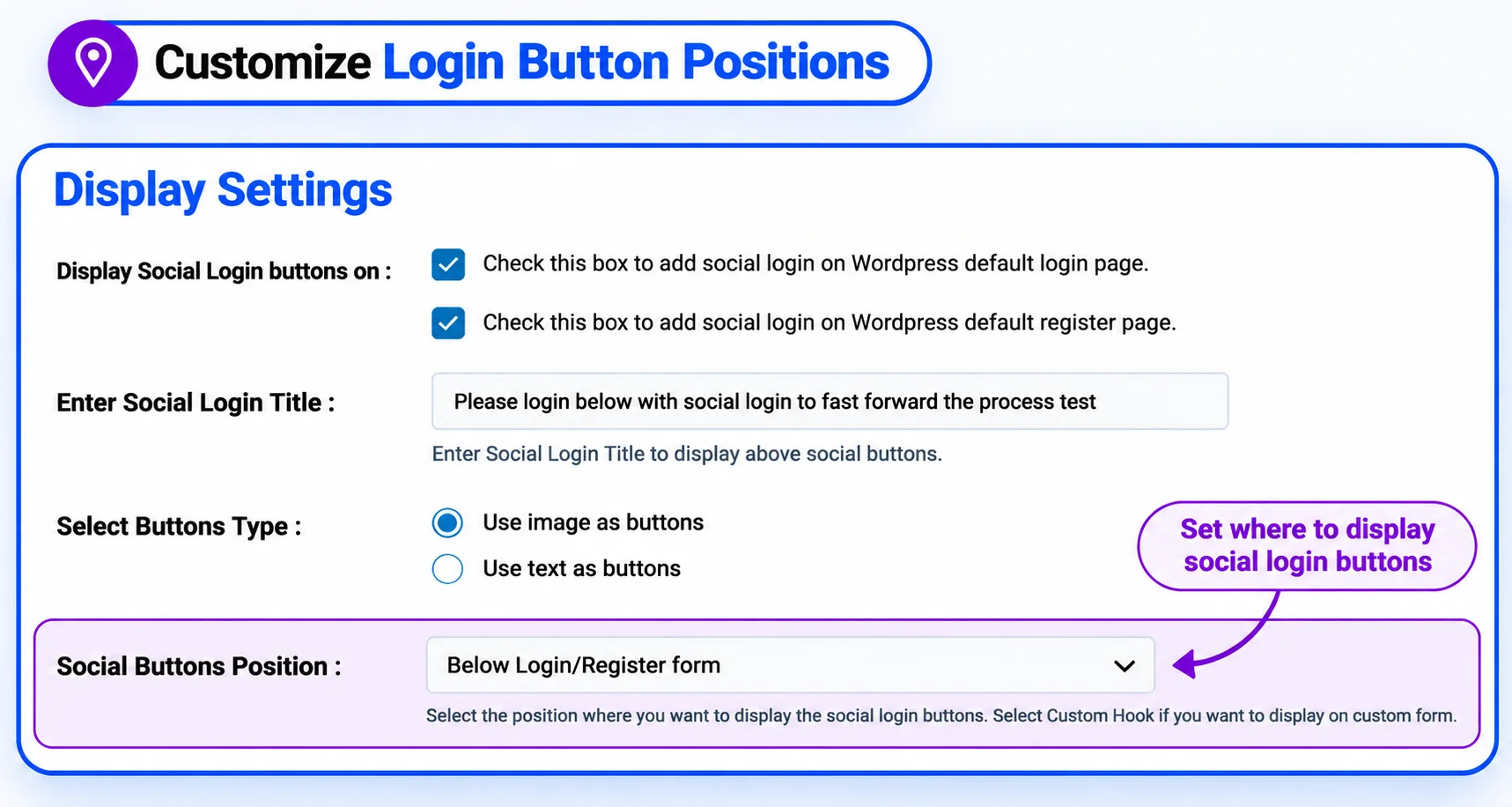
Customize Login Button Positions
Decide where social login buttons appear on your login and registration forms. Display them above or below the form, use expanded or collapsed layouts, or place them at a custom location using WordPress hooks.

Redirect Customers After Login
Control where customers land after signing in through a social account. Set a custom redirect URL or let users return to the page they were visiting before they logged in.
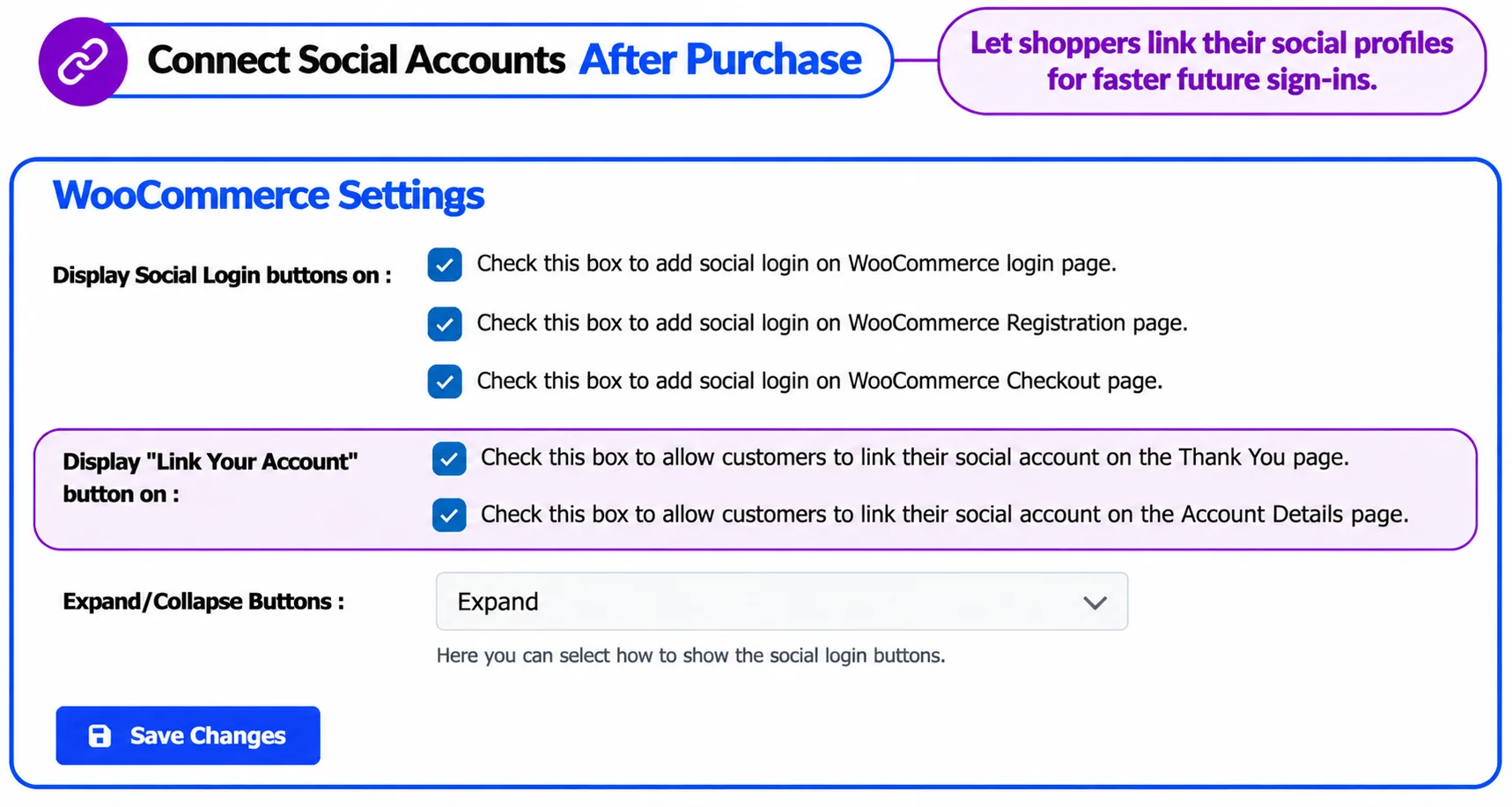
Allow Social Account Linking After Checkout
Encourage customers to connect a social account after completing an order. Our plugin displays account-linking options on the WooCommerce Thank You page, so returning shoppers can sign in more easily on their next visit.

Track Social Login Registrations
See how customers register through different social networks. View registration counts for each provider, and use the built-in pie chart to compare the percentage of signups from each network.
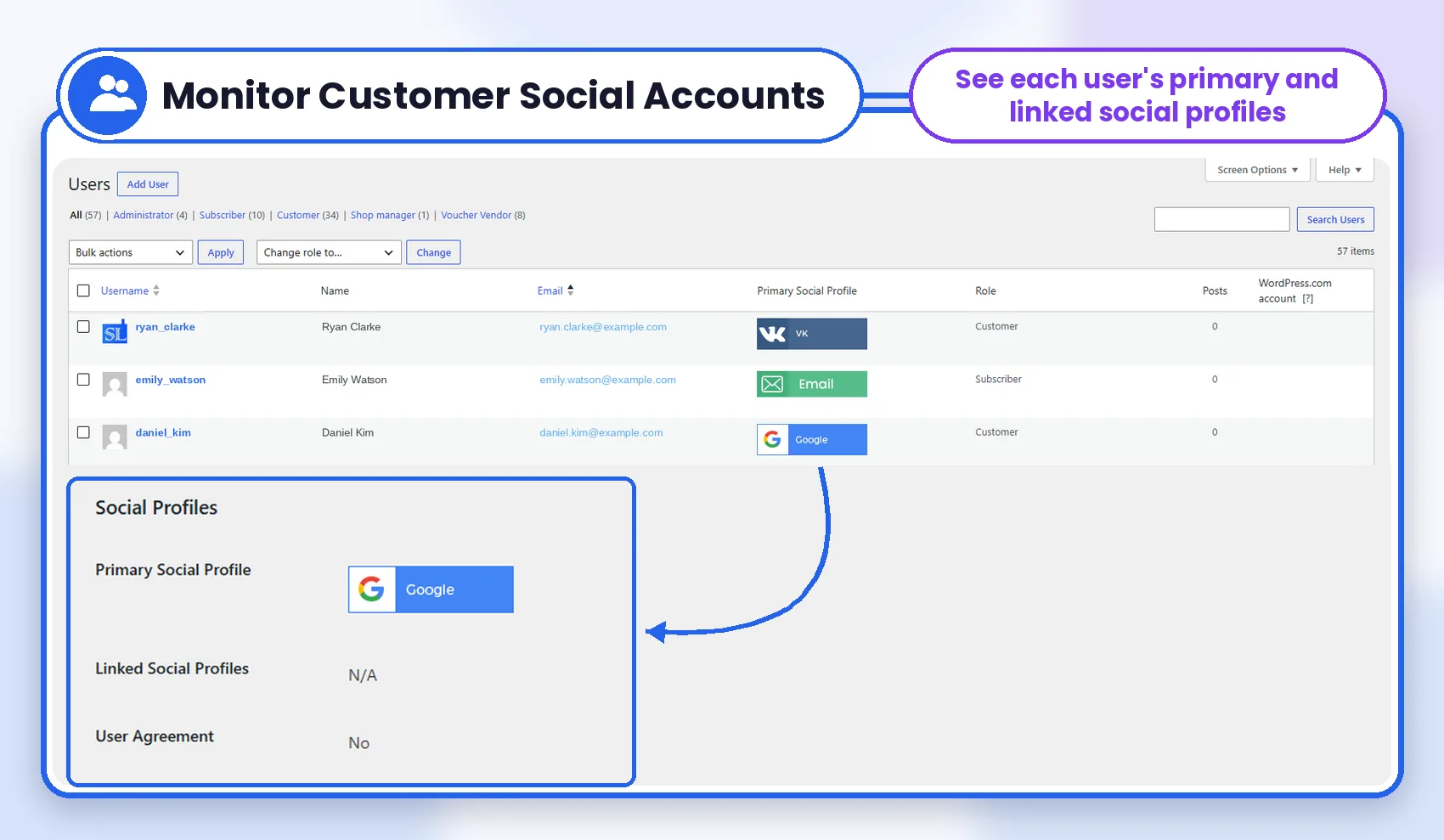
Monitor Customer Social Accounts
View social login information from your WordPress Users dashboard. Check each customer’s primary social profile and review the social accounts connected to their WordPress user profile.

Customize New Account Notifications
Choose whether newly registered customers and administrators receive email notifications. Use the WordPress or WooCommerce account email template and configure notifications for new social login registrations.

Set Default User Roles & Usernames
Control how new customer accounts are created through social login. Assign a default WordPress user role and choose whether usernames are generated from a unique ID, the customer’s name, or their email address.
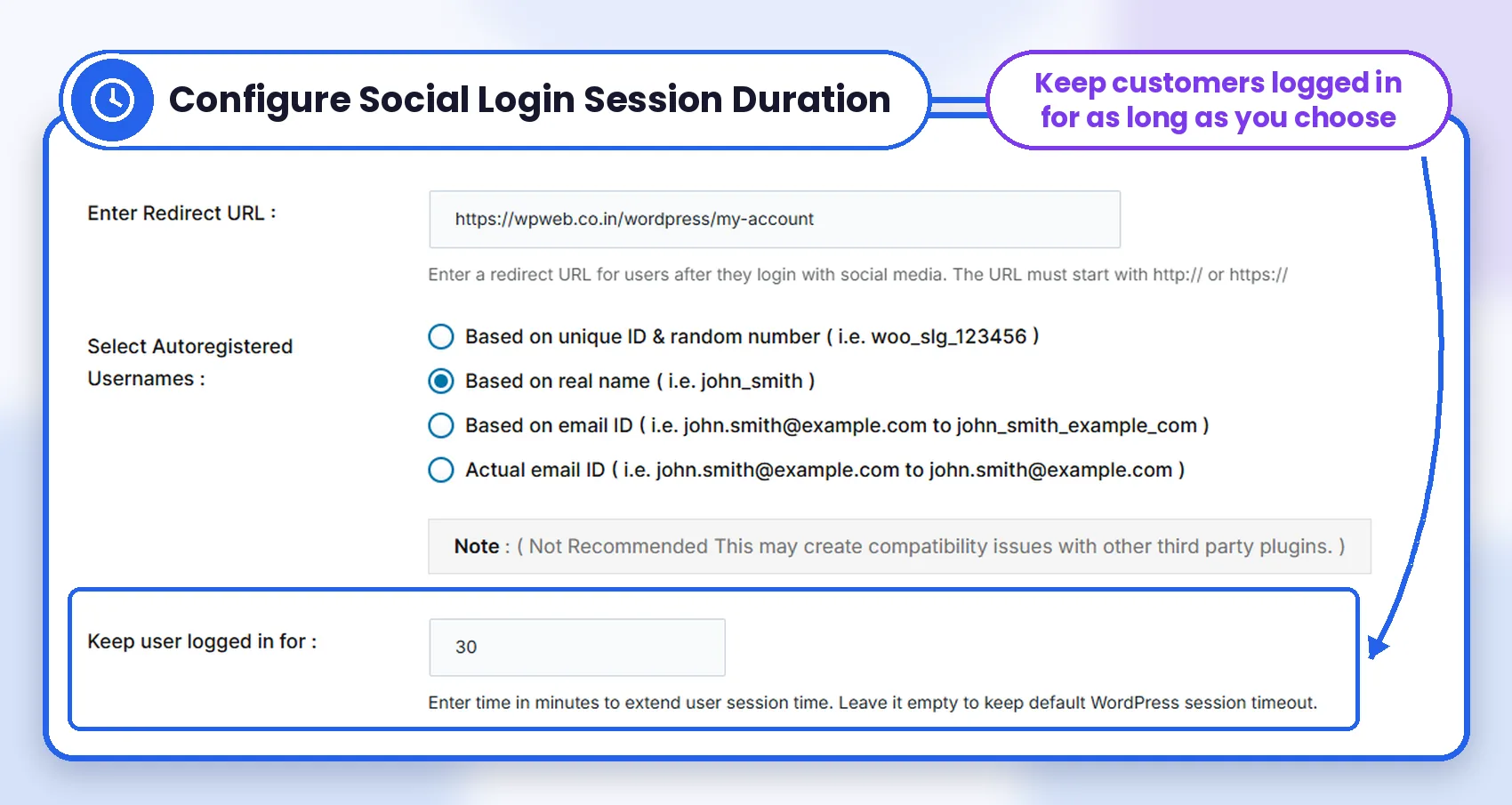
Configure Social Login Session Duration
Set how long customers stay logged in after social authentication. Use the default WordPress session duration or define a custom time limit that fits your website’s requirements.
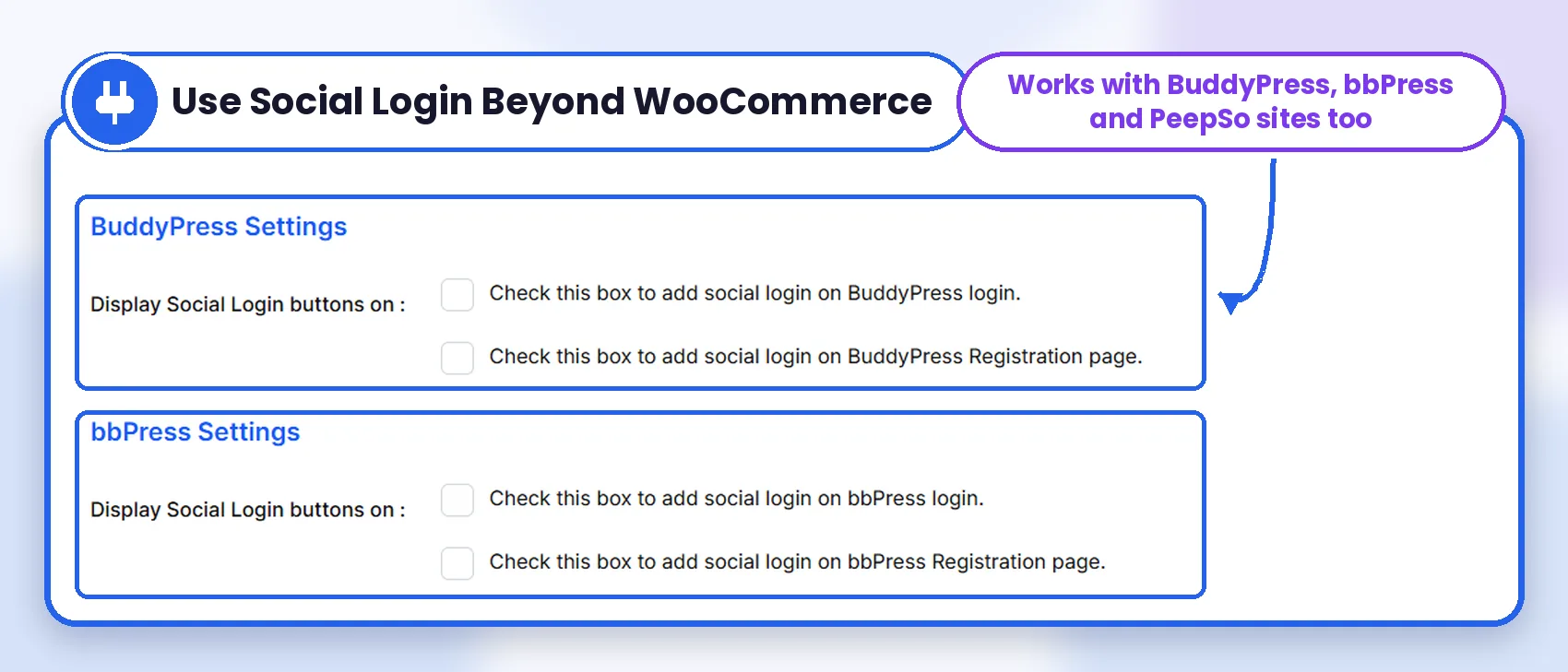
Use Social Login Beyond WooCommerce
Our plugin can also work independently of WooCommerce. Add social registration and login options to WordPress websites that use BuddyPress, bbPress, or PeepSo.
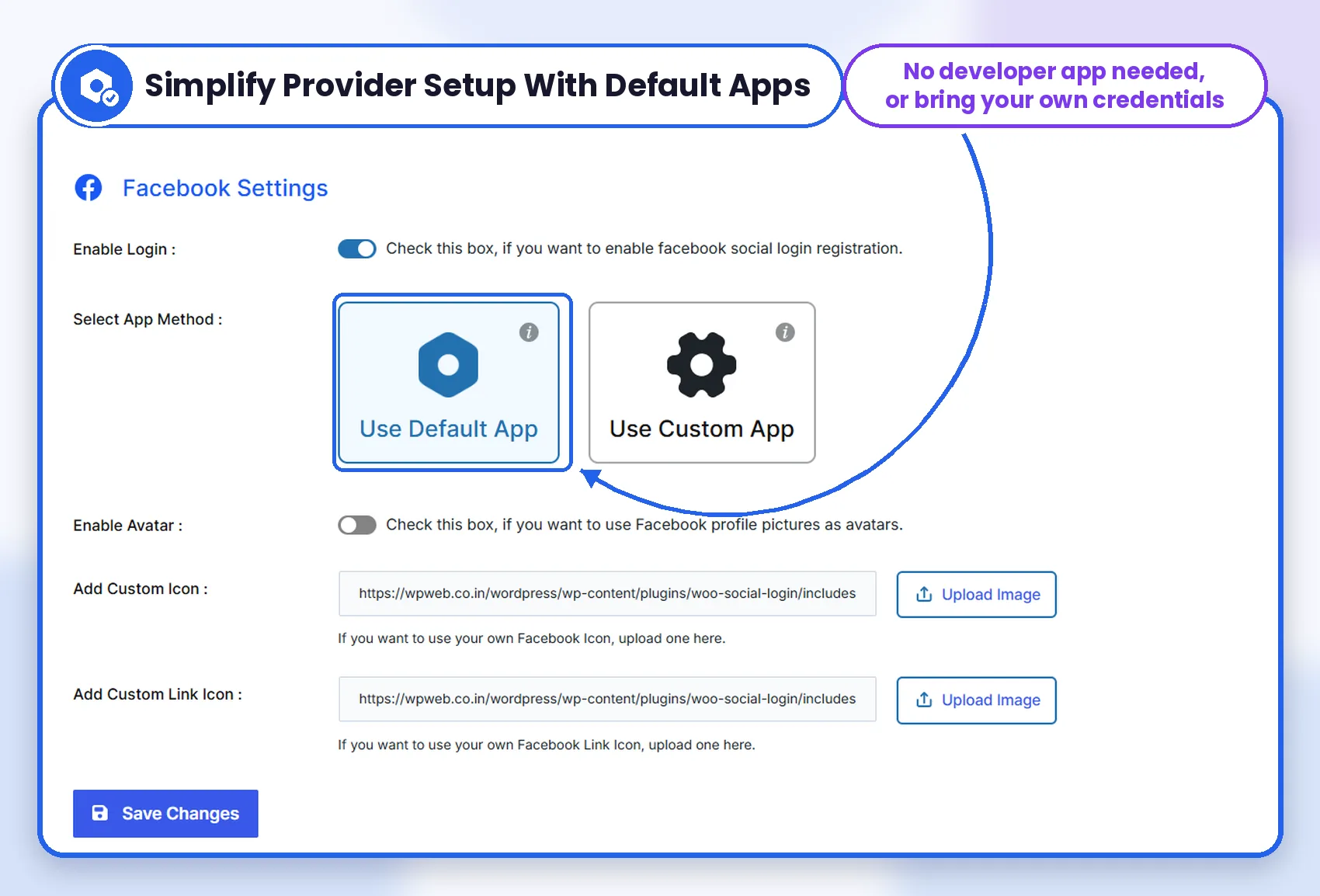
Simplify Provider Setup With Default Apps
Set up supported social login providers using the default app option, without creating a separate developer application. For more control, you can also configure your own custom application credentials.

Simple Transparent Pricing
Simplify WooCommerce registration and checkout with one-click social login, allowing customers to sign in using Facebook, Google, LinkedIn, PayPal, Apple, and other popular platforms.
1 Website
Use on 1 website
1 year of plugin updates
1 year of premium support
5 Websites
Use on up to 5 websites
1 year of plugin updates
1 year of premium support
Unlimited Websites
Use on unlimited websites
1 year of plugin updates
1 year of premium support
All Plans Include the Following Features
Our WooCommerce social login plugin gives you the tools to simplify customer registration, offer multiple login options, customize social login buttons, and manage connected customer accounts from WordPress.
- One-Click Social Login & Registration
- 12+ Social Login Providers
- WooCommerce Checkout Integration
- WordPress Standalone Support
- Social Login on Login & Registration Pages
- Link Social Accounts to User Profiles
- Unlink Connected Social Accounts
- Custom Login Redirect URL
- Login Buttons on Thank You Page
- Login Buttons on Account Details Page
- Shortcode Support
- Social Login Widget
- Drag-and-Drop Button Ordering
- Social Registration Statistics
- Social Signup Reports
- Email New Account Details
- Customizable Login Buttons
- Custom Social Login Icons
- Login with Email
- Automatic WordPress User Account Creation
- Caching Plugin Compatibility
- BuddyPress & bbPress Compatibility
- PeepSo Compatibility
- 100% Multilingual Support

Money-Back Guarantee
Install the WooCommerce Social Login plugin, and if it doesn't match your requirements, you can connect with our support team anytime within 14 days of purchase to request a refund, and we will ask no questions!
Discover what our customers have to say about their experience with our plugins. Read genuine reviews and see how our solutions help businesses simplify their workflow. 5.0/5 10 Ratings
Are you a customer? hui0819 I’ve been using this plugin for quite a while, and their support is excellent — fast, professional, and very helpful whenever an issue occurs. jun165606 The plugin is excellent, simple to use, and integrates both email (with optional OTP) and social login methods. It is very user-friendly for beginners, as the plugin comes with a pre-configured default app created by the WPweb team, making it truly ready to use out of the box. Most importantly, the team's technical support is fantastic, responding very quickly. When reporting some plugin errors, they were able to contact me the same day and quickly provide a test version to resolve the issues. Overall, this is an excellent team. giammi73 really great plugin. easy to configure and great user fiendly omarmoss All works as described and is easy to setup. Much easier to setup than some of the alternatives out there. Mindthetrash Great plugin and support! Servicescoronado Do not even look anywhere else. This is exactly what you want, works with all the social media you really need, and is intuitively to set up and configure. The very good quality documentation leads you through the installation and configuration step-by-step, and even a total newb like me regarding google and facebook dev and app configs was up and running in 20 minutes. perfect Maidot These guys are INCREDIBLE! Besides answering VERY fast, they solved a conflict problem that was NOT their fault and it all happened even AFTER support period was over. If someone deserves a great rating that's these guys. Seriously, I will look for other products they have when I need to buy any other plugins. Thank you so much for your professionalism, keep it up like that and you will be very successful. tinkerbrained Simple to set up and use. No complicated settings. I'm not a developer but I was able to easily set up the credentials I needed to connect this plugin to my social sites following the author's documentation. Would recommend this plugin to anyone needing to provide social login on their site. devphoenix Really the best so far for me. Tried 4 other plugins free and premium. This one wins by far for WooCommerce! I highly recommend this plugin!All Ratings & Reviews
Submit your review
 Via Codecanyon
Customer Support
Via Codecanyon Customer Support
Via Codecanyon Code Quality
Via Codecanyon Other
Via Codecanyon Flexibility
Via Codecanyon Feature Availability
Via Codecanyon Customer Support
Via Codecanyon Documentation Quality
Via Codecanyon Feature Availability
Product Screenshots
Take a closer look at our WooCommerce social login plugin and explore its provider settings, customizable login buttons, customer account management, and registration reports. Check how you can configure social login, connect different providers, and manage customer access directly from your WordPress dashboard.
01 Social Network Statistics
02 General Settings
03 Display Settings
04 GDPR Settings
05 WooCommerce Settings
06 Facebook Default App Setup
07 Facebook Custom App Credentials
08 Facebook API locale and Custom Icons
09 Login with Email and OTP confirmation
10 Misc settings and System Report
Technical Information
Find the basic system requirements for installing and running Social Login plugin.
Compatibility with Leading WordPress Plugins
Social Login is compatible with all the plugins below, giving users fast one-click sign-in across your store, membership and community pages.


Frequently Asked Questions
Find answers to common questions about our plans, features, and licensing options.

No, the plugin doesn’t use the profile picture. You can create your avatar using your email, which will be displayed for reviews.
Yes, we allow you to unlink any social accounts from the “My Account” page at any time without any hassle.
If the registered email for both the social and WordPress account is the same, you will be informed about the existing account with the same information. You can link your social login from the “My Accounts” page.
Login buttons will be displayed in the WordPress login form, Checkout Page, and other pages that have a shortcode or widget for login.
All license plans for our WooCommerce Social Login & Registration plugin, including Starter, Business, and Agency, include 1 year of plugin updates and support, ensuring you have access to the latest features, improvements, and assistance when needed.
Discover More Plugins
Take a look at more plugins from our collection and see what fits your website.

$45.00/year

$49.00/year

$69.00/year
WooCommerce Social Login Video Tutorials
Watch the video tutorials to set up the WooCommerce social login plugin, configure developer applications, add the required credentials, and enable login options for your supported social providers.