Learn how AI app builders simplify app development with AI, no-code, and low-code tools that turn ideas into functional applications.
Compare the 10 best AI app builders for web and mobile apps, covering integrations, customization, automation, and AI-assisted development.
Discover how agentic and no-code AI app builders differ in how much control, coding, and AI-driven development they provide.
Consider long-term factors such as user volume, platform dependency, pricing changes, and the difference between a prototype and a production-ready app.
Have an app idea but no coding team to turn it into reality? AI app builders can help you move from a simple prompt to a functional application without starting everything from scratch. With dozens of platforms offering different levels of AI assistance, customization, integrations, and scalability, choosing the right one can be challenging.
This guide covers the best AI app builders, their key features, and what makes each platform different. If your project needs deeper customization or dedicated technical expertise, you can also consider working with experienced mobile app development companies.
What Is an AI App Builder?
An AI app builder is a platform that uses AI to generate working web applications and helps users design, code, and launch them with less effort than traditional development or purely no-code app builders. It uses plain-language prompts to build applications.
You can tell the AI app builder what you want, including the app’s purpose, use case, features, and requirements, and it generates software based on the instructions provided in your prompt. This encourages users to describe what they want and have a platform that automatically creates functional components.
Agentic AI App Builders vs. No-Code AI App Builders
Agentic AI app builders use AI agents to handle multiple development tasks, such as generating code, creating features, debugging, and connecting APIs from natural-language instructions. No-code AI app builders focus on visual interfaces, pre-built components, and AI-assisted workflows that let users create applications with little or no coding.
The key difference is how much of the development process AI can execute independently. Agentic platforms suit users who want AI to handle complex development tasks, while no-code platforms help users quickly build applications through visual configuration.
Top 10 AI App Builders at a Glance
The best AI app builders right now range from quick prompt-to-code generators for MVPs to robust development environments for full-stack and native mobile apps.
Here is a quick breakdown of the 10 best AI app builders, what they are best at, and how they fit into your requirements.
AI prompt agent, collaborative development, hosting
Per Month
4.5
10 Best AI App Builders for App Development
For reliable app development, these are the best AI app builders currently on the market. Here is a list of the best AI app builders, with a wide range of tools for different business needs.
1. Softr
Softr is an AI-powered, no-code app builder designed to let you create functional business software such as internal tools, client portals, and dashboards using simple English prompts. Zapier lists it as one of the best no-code website builders.
This AI app builder turns a plain description into a working business application. You can build these apps using Softr’s built-in database and connect the data you already have in other platforms such as Airtable, BigQuery, Excel, Google Sheets, HubSpot, Supabase, and more.
Key Features
AI Co-Builder: This feature helps you turn plain-language prompts into a fully functioning, product-ready application, generating the database schema, page layouts, and user permissions.
External Integrations: The software lets you connect 21+ external data sources such as Airtable, Google Sheets, Snowflake, Microsoft, etc.
Drag & Drop Builder: The feature allows you to use pre-built functional blocks (lists, grids, calendars, charts & forms) and templates for CRMs, client portals, directories and dashboards.
In-built Database: The software automatically creates and organizes your database based on the prompt you have given and the idea you have suggested.
Pros
Offers a generous free plan for trial and testing.
Provides highly responsive customer support as reported by users on G2.
Provides an unbelievably fast setup to build a functional business application.
Makes it easy to control what different users can see, do, and access within the same app.
Cons
Limitations in customization.
Higher costs for multiple admin users.
No support for continuous conversational prompting.
No direct publishing to the Android or Apple Store.
Pricing: Free; Pro starts from $19/mo
Rating: 4.7/5
2. Bubble
Bubble is well known for flexible, no-code websites and handling sophisticated app logic that typically requires coding. The AI features allow you to create a working draft in minutes. For complex web applications, it offers visual development tools that let you dive into each feature and make it work as intended.
The software has robust capabilities for both web and mobile development. Bubble differs from other AI builders in that it uses a visual programming language, unlike other AI builder apps that use traditional code.
Key Features
AI App Builder: Lets you describe your idea through a prompt, then generates a working foundation with user accounts, database structures, and workflows in minutes.
Workflow & Logic: Allows you to set up triggers and actions visually to handle user authentication, payment processes, scheduled tasks, and complex business rules.
Native Mobile & Web Apps: Allows you to build web applications and native mobile apps for IOS and Android from the same unified workspace.
Built-in Database: Lets you create and manage data types, option sets, and privacy rules directly in a spreadsheet-like view without needing external SQL databases or third-party administrators.
Pros
Turn a basic idea into a live, working prototype in weeks instead of months.
Set up applications quickly for faster deployment without the hassle of backend management.
Design your app’s frontend layout easily using a visual interface with elements like buttons and forms.
Access a large, active community, educational resources, and a plugin marketplace for solutions and templates.
Cons
Steep learning curve for users.
Bugs reported by users on G2.
Bug issues experienced by users.
Expensive for those who want a longer trial.
Pricing: Free; Pro starts from $59/mo
Rating: 4.4/5
3. FlutterFlow
FlutterFlow is a quick, low-code development platform for building mobile, web, and cross-platform applications. Having built multiple production apps with FlutterFlow, we appreciate how it bridges the gap between no-code simplicity and professional Flutter development.
Offering pixel-perfect UI control and clean Dart code generation, it delivers native app quality with visual development. The real-time, multi-device preview eliminates guesswork, making it ideal for teams that want production-ready apps without the full coding overhead.
Key Features
UI Elements: The software lets you build faster with a visual interface and 200+ configurable UI elements.
Action Flow Editor: This feature allows you to add the action logic to your application.
Google Cloud Functions: The software allows you to write and deploy Google Cloud Functions to manage your backend.
Custom Dart & Widgets: The software lets you write custom Dart functions or build bespoke Flutter widgets when you need advanced or specific functionality.
Pros:
Generates production-ready Flutter code.
Enables fast development for high-quality applications.
Provides a powerful, easy-to-use interface, according to users.
Connects to third-party services and data using built-in REST API support.
Cons:
Steep learning curve for users.
Heavily optimized for mobile applications.
Slow performance, particularly with larger apps.
Exported Dart code can be hard to read, maintain, or extend.
Pricing: Free; Pro starts from $29.25/mo
Rating: 4.5/5
4. Adalo
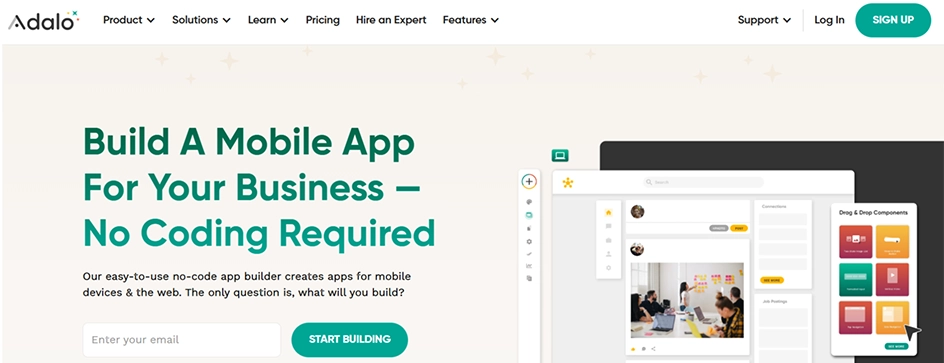
Adalo is a popular no-code app builder that lets you design, build, and launch real applications for iOS, Android, and the web using a visual multi-screen canvas and AI. Tell Adalo what your app needs, and it generates working apps through natural language.
It strikes a good balance between approachability and functionality for business-focused apps. The platform’s drag-and-drop interface makes it easy to assemble professional-looking mobile apps, particularly for database-driven use cases.
Key Features
Cross-platform: The software lets you design your app once on a visual canvas and deploy it simultaneously to the web, the Apple App Store, and the Google Play Store.
Ada AI App Builder: Ada is Adalo’s AI Builder, which lets you generate, edit, and publish apps.
Magic Start: It helps you describe your app idea in English to Ada, and it will generate the core app foundations.
Drag-and-drop Canvas: A beginner-friendly interface where you can lay out dozens of screens and arrange custom user flow visually.
Pros
Paid tiers include unlimited database records and storage caps.
Changes you make in the editor reflect and update across all platforms instantly.
Connect tools like Zapier, Make, or custom APIs to pull in outside data or automate tasks.
The visual interface works like PowerPoint or Figma, making it simpler for non-coders and beginners.
Cons
Sluggish with large datasets.
Laggy visual builder for projects with more than 50 screens.
Frequent buggy behavior reported by users
Fewer third-party integrations than competitors.
Pricing: Free; Pro starts from $36/mo
Rating: 4.4/5
5. Glide
Glide uses AI to generate apps from natural-language prompts and existing data. It connects with spreadsheets and databases for dynamic app experiences. Its visual builder supports responsive web apps without coding. Users can customize layouts, workflows, and data-driven features.
According to Fantasy AI, 47% of companies now use AI in their development and coding process, showing that the shift toward no-code and AI-powered app creation is already widespread.
Key Features of Create
Glide Agent App Generation: Describe what you need, such as an inventory tracker or a CRM, and the AI builds the custom app, sets up the data structure, and designs layouts.
AI Custom UI Components: Use a prompt or upload a reference image to let the AI design the visual components inside your app.
File & Data Intelligence: Extracts insights from messy files by pulling text from text receipts, transcribing audio, or summarizing contracts without writing the API code.
Spreadsheet & Database Sync: Connect data sources like Google Sheets, Airtable, SQL, Excel, or use Glide’s native built-in tables.
Pros
Automated structuring of the database.
Easy development process for non-technical users.
Maintains a live connection with source data.
Unmatched speed for spreadsheet-to-app conversion.
Cons
No direct access to app stores.
Steep learning curve for users.
Limited flexibility for deep UI elements.
Functional limitations for advanced customization.
Pricing: Free; Pro starts from $25/mo
Rating: 4.7/5
6. Mendix
Mendix offers low-code development with AI-assisted app creation. It is a high-productivity, rapid app development platform that lets you create, maintain, and improve web and mobile apps. It supports reusable components, workflows, and enterprise integrations.
Teams can build scalable web and mobile applications visually. Build an inventory management system that connects with SAP, handles multiple user roles, and processes real-time data from IoT devices, all through Mendix’s visual development environment.
Key Features
Maia Chat: Acts as an on-demand virtual co-developer that answers technical and low-code questions and generates live logic changes directly inside the development portal and IDE.
Generative AI Capabilities: Transform text prompts or uploaded documents into fully functional visual models, microflows, and multilingual user interfaces without requiring manual coding.
Hybrid Workforce Orchestration: Unifies human employees and AI agents into shared operational pipelines using a semantic data graph to safely automate complex enterprise workflows.
Turnkey Cloud GenAI Resources: Provides instant, preconfigured cloud access to top-tier LLMs and vector databases under a single subscription model, eliminating manual infrastructure management.
Pros
Fast development capabilities enabling quick alignment with business needs.
Clear visual logic constructs such as microflows and data models for easy team verification.
Easy app maintenance through AI-powered development within the platform’s visual framework.
Open architecture for integrating with external AI models and third-party tools.
Cons
Significant learning curve for new users.
Excessive complexity for simple applications.
Higher pricing at enterprise scale.
Additional optimization required for mobile experiences.
Pricing: Free; Pro starts from €918/mo
Rating: 4.4/5
7. Microsoft Power Apps
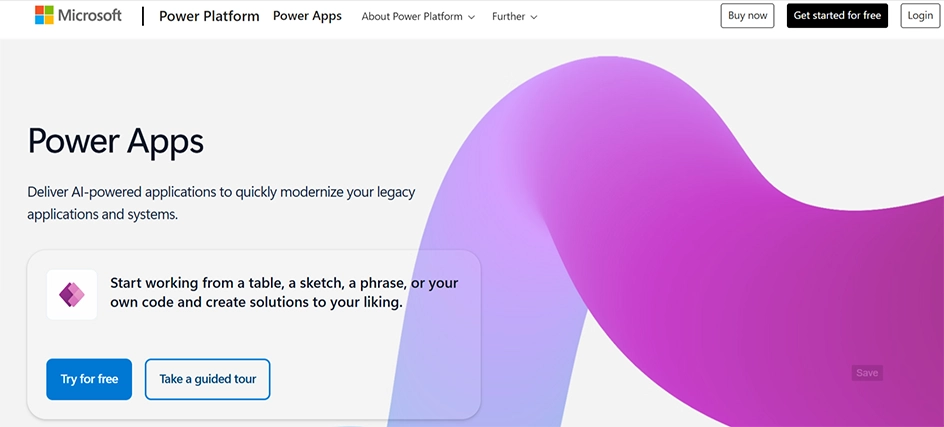
Microsoft Power Apps uses AI to accelerate app creation and workflow automation. Its low-code environment supports custom business applications and workflows. Built-in governance and security features support enterprise deployments.
With its intuitive interface, users can build apps that connect to a wide range of data sources, including Microsoft 365, Dynamics 365, and third-party services. The platform also adds AI capabilities through AI Builder, enabling features like form processing, object detection, and text recognition.
Key Features
Canvas Apps: Start with a blank screen, such as building a slide deck, and drag and drop elements wherever you want to.
Power Fx: Add app logic and data manipulation using formulas that look and feel like Microsoft Excel.
Microsoft Copilot: Use natural language prompts to describe the app you want, and AI generates data models, tables, and screens for you.
Extensive Data Connectors: Hook your apps into over 400 data sources like SQL Server, SharePoint List, Salesforce, or Custom APIs.
Pros
User-friendly interface for users with varying technical skills.
Seamless integration with the Microsoft ecosystem enhances productivity.
Simplified AI feature integrations with AI Builder and minimal coding.
Flexible deployment options across web and mobile platforms.
Cons
Higher costs for premium licenses.
Complexity in choosing the right Microsoft tier.
Limited UI customization compared with fully custom-developed apps.
Advanced customizations requiring knowledge of Power Fx and other coding languages.
Pricing: Free; Pro starts from $21/mo
Rating: 4.3/5
8. Bolt
Bolt uses AI-powered prompts to generate full-stack web applications. It supports frontend, backend, databases, and API integrations. Developers can edit generated code directly in the browser. Built-in deployment tools help move projects from development to production.
The platform focuses on removing friction from the buying process with smart checkout tools and mobile-first designs. You can build apps with multiple features in minutes that typically require extensive development. The built-in analytics helped identify where customers were dropping off.
Key Features
Prompt-to-Code with Live Preview: Describe what you want in plain text, and the Bolt AI agent writes the code, spins up a server, and displays a live preview instantly.
Integrated Code Editor: A built-in IDE lets you seamlessly switch between chatting with the AI for updates or writing manual code edits.
Token-Based Pricing: Uses a flexible token consumption model for AI generations and troubleshooting, with rollover options for paid tiers.
Bolt Cloud & Hosting: Offers built-in deployment, custom domains, HTTPS/SSL certificates, and environment configuration without leaving the interface.
Pros
Exports source code or deploys it using platforms such as Vercel.
Sets up Node.js, databases, and package managers inside your browser tab instantly.
Enables quick idea exploration and validation with an approachable and easy-to-use interface.
Builds full-stack architecture by connecting databases, APIs, and backend routes from text prompts.
Cons
Unintentional credit losses reported by users.
Basic reporting compared to some competing platforms.
No native support for backend languages such as Python or PHP.
Occasional AI rewrites of working components and disruptions to modularity.
Pricing: Free; Pro starts from $21/mo
Rating: 4.3/5
9. Lovable
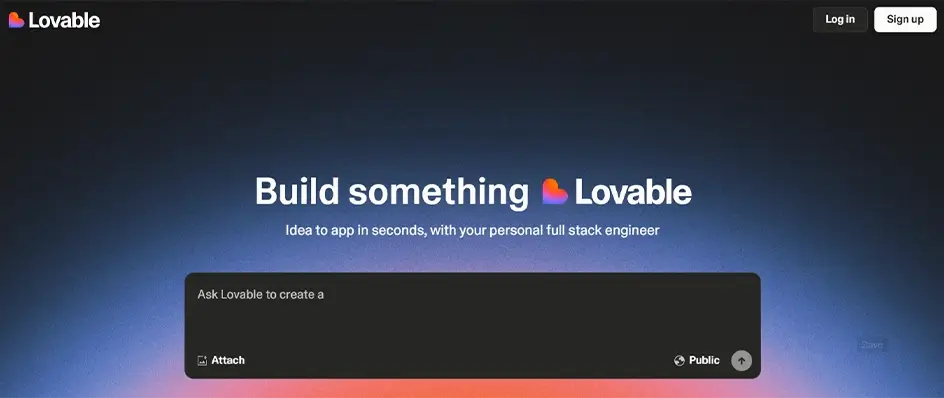
Lovable turns natural-language prompts into functional web applications. It supports AI-generated interfaces, backend logic, and database integration. Users can review and modify the generated code. GitHub integration enables version control and collaborative development.
The builder lets anyone develop custom apps by simply describing what they need in plain language.
During our testing, we built a community volunteer management app in under an hour just by typing our requirements. The AI automatically handled the database setup, UI design, and basic workflows.
Key Features
Natural Language & Visual Prompting: Describe what you want to build using text, screenshots, or sketches, and AI translates it into structured, responsive UI code.
Multi-Format Processing: Goes beyond web apps to analyze data and generate professional files such as spreadsheets, PDFs, slide decks, and Word docs.
GitHub Sync & Code Ownership: Full transparency with direct code commits to your GitHub, GitLab, or Bitbucket repositories, meaning you own your code with zero lock-in.
Unified Credit System: Uses a single shared credit pool for building, hosting, and running AI features across your team’s workspace.
Pros
Extremely fast prototyping capabilities.
No vendor lock-in through GitHub.
Modern component architectures using React and TypeScript.
Intuitive coding assistance for non-technical users.
Cons
Limited to basic app functionality.
Advanced features require workarounds.
Few customization options.
Not ideal for complex business logic.
Pricing: Free; Pro starts from $25/mo
Rating: 4.6/5
10. Replit
Replit uses an AI coding agent to build applications from natural-language prompts. It supports code generation, debugging, database integration, and API connections. It simplifies coding by combining an IDE, hosting, and AI assistance in one browser-based platform.
The built-in AI pair programmer helps debug Python scripts and even suggests optimizations. Developers can edit, test, and preview applications in the browser. Built-in hosting and deployment simplify publishing finished applications.
Key Features
Replit Agent: Chat with an AI agent to scaffold, build, debug, and iterate on web pages, mobile apps, and dashboards from single prompts.
Connectors: Integrate external third-party services such as Stripe, Google Workspace, and databases straight into your applications.
Cloud EDO & Infrastructure: Get robust resource allocations (such as vCPUs, RAM, and storage per app) inside a browser-based environment with terminal/shell access.
AI Integrations and Model Routing: Access leading AI models such as Claude with managed credentials and transparent usage tracking.
Pros:
AI-powered app development
Browser-based coding environment
Built-in deployment and hosting
Supports databases and APIs
Cons
Can require coding knowledge
Usage-based costs can increase
Complex apps need manual coding
Platform dependency can be a concern
Pricing: Free; Pro starts from $18/mo
Rating: 4.5/5
How to Choose the Right AI App Builder for Your Project
Choosing an AI app builder depends on your project requirements, technical expertise, budget, and long-term goals. Before selecting a platform, evaluate how much control you need over the app and whether the tool can support your expected growth.
Technical Comfort Level: Choose no-code platforms for visual development or AI-assisted coding tools if you have development experience and need greater control over the codebase.
Budget and Pricing Model: Compare free plans, subscriptions, usage-based pricing, and additional costs for hosting, AI credits, integrations, or higher user limits.
Enterprise, Security, and Compliance: For business applications, check authentication, data encryption, access controls, compliance certifications, API security, and options for managing enterprise data.
Scalability and Integrations: Ensure the platform can handle your expected traffic and supports the databases, APIs, payment systems, analytics tools, and third-party services your application requires.
Conclusion
AI app builders have made app development faster and more accessible. The right platform depends on what you are building and how much control you need. From no-code tools for quick launches to agentic platforms that can handle more complex development tasks, each option has its strengths.
Before choosing an AI app builder, consider your technical expertise, budget, scalability, security, and long-term platform dependency. A good AI app builder should not just help you create a working prototype, but support the product as it grows.
FAQs on Best AI App Builders
Can I use these AI app builders if I already know how to code?
Yes, knowing how to code actually makes you much better and faster at using AI app builders. Your programming background lets you debug errors, control an app’s architecture, and customize the generated code beyond standard AI prompt limits.
How do I choose between all these different AI app builders?
Choose an AI builder based on your project and requirements. Look for features that match your coding skills, project type, and budget, and align with the tool’s core strengths.
Will my AI-built app look generic or unprofessional?
Not necessarily. While templates provide starting points, most builders offer enough customization to create unique designs. The key is spending time tweaking layouts, colors, and branding elements rather than using default settings.
What’s the difference between a generated prototype and a working app?
A generated prototype is a visual or AI-simulated model used to test an idea, whereas a working app is a fully functional software product built with real code and infrastructure.
What happens if the AI app builder platform shuts down or changes pricing?
When an AI app builder platform shuts down or changes its pricing, your application faces severe risks, service interruptions, data loss, and sudden cost overruns.
Which AI app builder is best for building mobile apps vs. web apps?
Picking the right AI app builder depends on whether you are targeting mobile devices or web browsers, as different platforms specialize in different output types and tech stacks.
How much do AI app builders cost?
AI App builders typically cost between $15 and $100 per month for standard subscriptions, allowing you to build a production-ready application for a fraction of traditional development costs. However, the total cost depends on whether you use a prompt-to-code tool, a visual no-code platform, or an AI code editor.
Is there a difference between no-code and low-code AI app builders?
Yes, the main difference between no-code and low-code AI app builders is the requirement for programming knowledge and the level of customization available.
Which AI app builder is most popular in 2026?
Lovable is the strongest option among all the AI app builders in 2026. It has become dominant by letting people build working, full-stack web applications just by describing them in plain English. Bubble, FlutterFlow, Replit, and Softr are other options, depending on your app type and technical requirements.
Can these platforms handle apps with thousands of users?
Yes, many AI app builders can support apps with thousands of users, but scalability depends on the platform, backend architecture, database, traffic patterns, and the plan you choose.
Sneha Shah is a sales director of WPWebElite who knows how to make businesses thrive. With 7+ years of experience, Sneha has a knack for increasing sales and boosting profits. She understands what customers want and is talented at creating winning sales strategies. Sneha is a great leader who motivates her team to exceed targets and achieve excellence.