






What You Can Do With EDD PDF Vouchers
Explore the tools for voucher design, gift personalisation, order management, and redemption.
Create PDF Vouchers for Online or In-Person Redemption
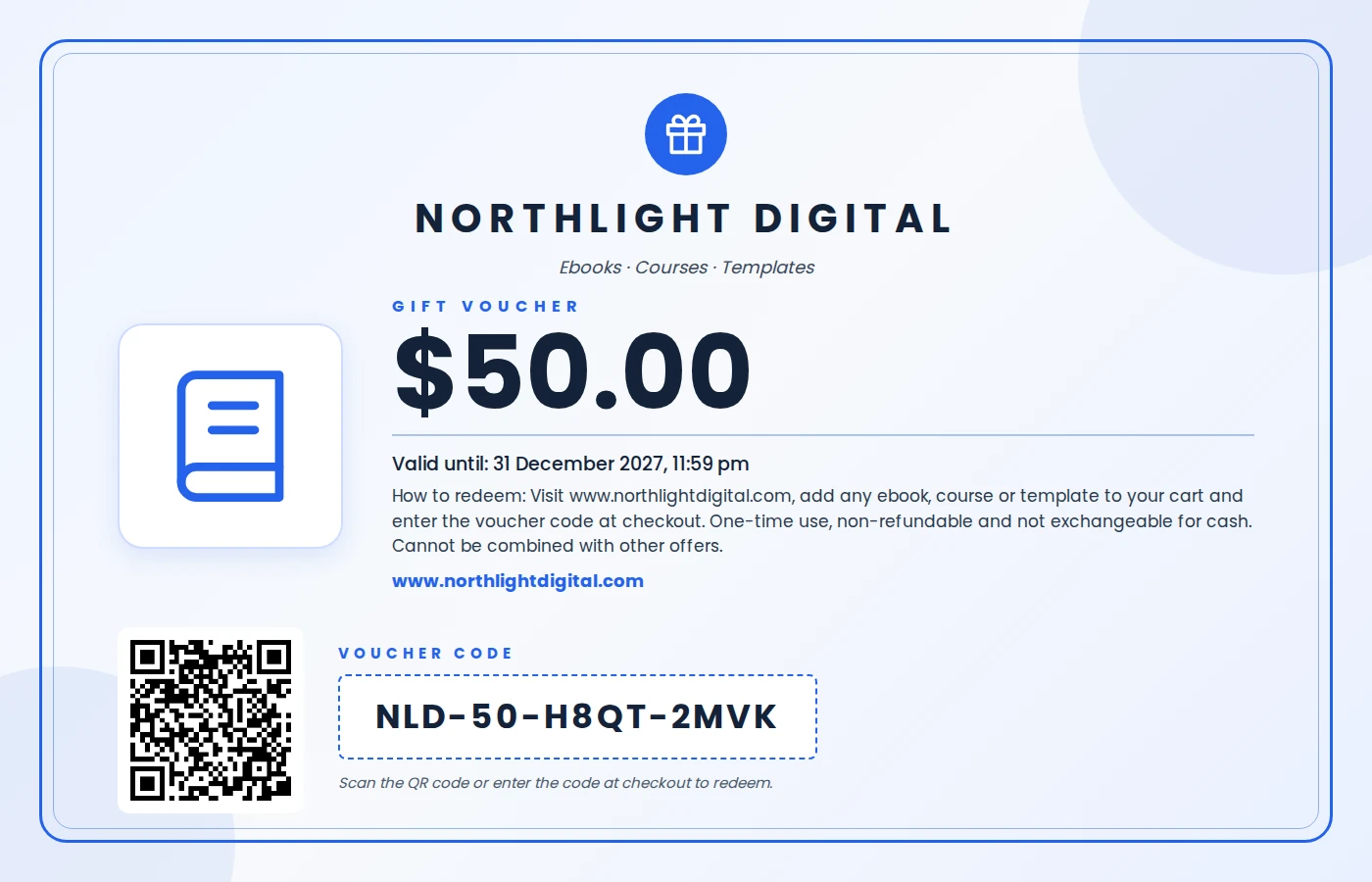
Turn products, services, and experiences into downloadable PDF vouchers. Customers receive a voucher they can print or present for redemption, giving your EDD store a way to sell offers fulfilled beyond the website.
Build Voucher Designs With Drag and Drop
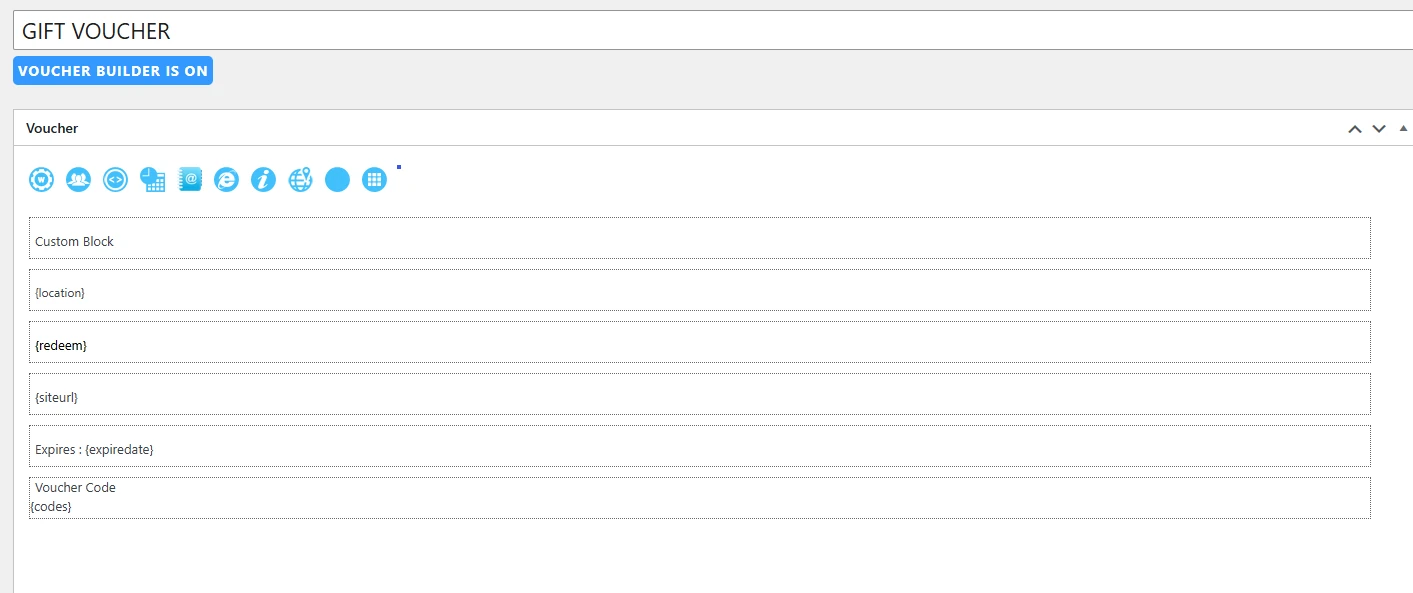
Create your voucher layout using the visual editor. Arrange the content to suit your offer and bring the important details together in a design customers can read and use.

Create Different Templates for Different Offers
Build voucher templates for gift purchases, services, events, or seasonal promotions. Assign a suitable template to each product, or enable template selection so customers can choose a design before purchasing.

Let Customers Personalise Gift Vouchers
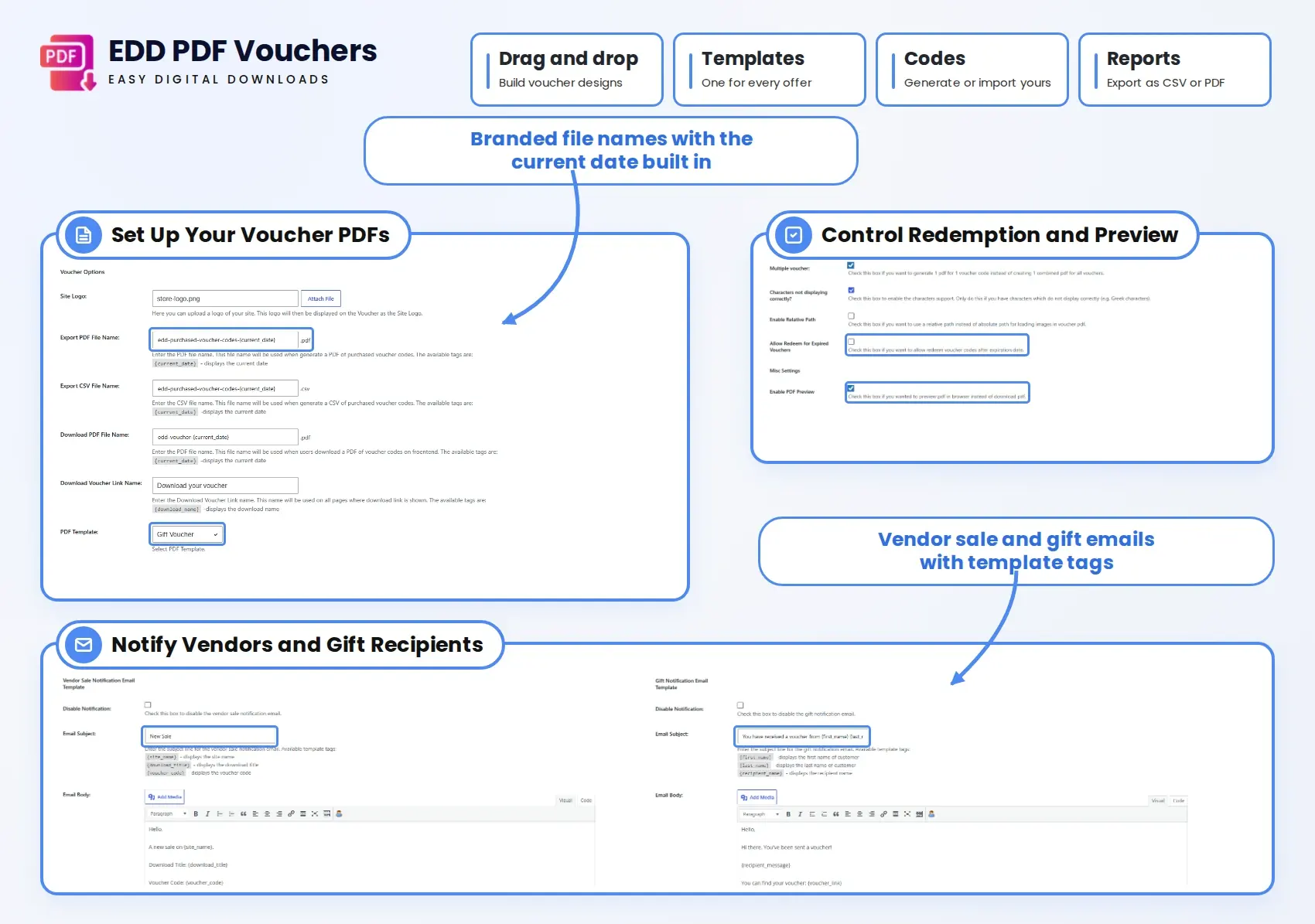
Allow buyers to enter a recipient’s name and add a personal message to the voucher. Enable the recipient email field when customers want the voucher delivered as a gift.
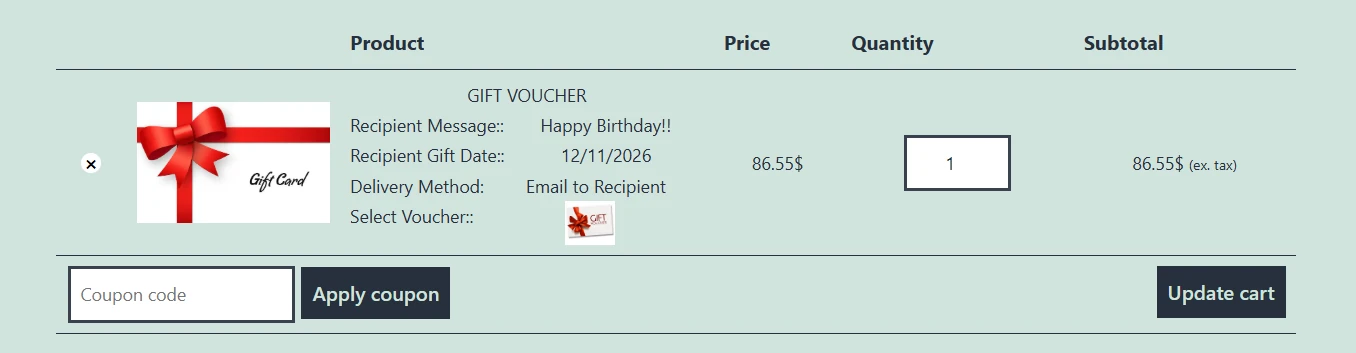
Show Recipient Details in the Cart
Display the recipient information alongside the voucher in the cart. Buyers can review the details they entered before completing their purchase, helping them spot mistakes in a name or gift message.

Manage Voucher Details Within Each Order
Keep voucher information alongside your Easy Digital Downloads order records. Review the voucher code, expiry date, quantity, and related product details when handling customer enquiries or checking a purchase.
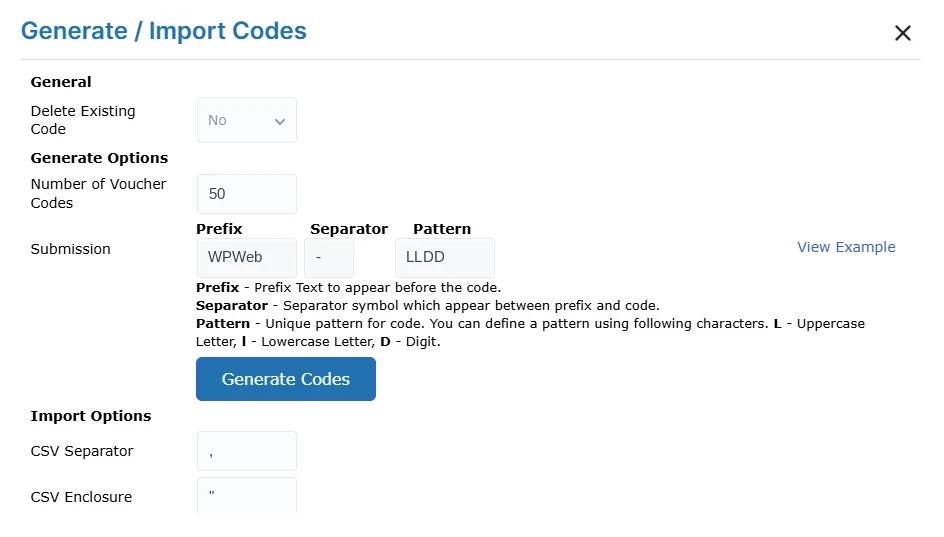
Generate Voucher Codes or Import Your Own
Create voucher codes using a prefix and a pattern of letters and numbers. If your business already has a code list, import it from a CSV file rather than entering each code individually
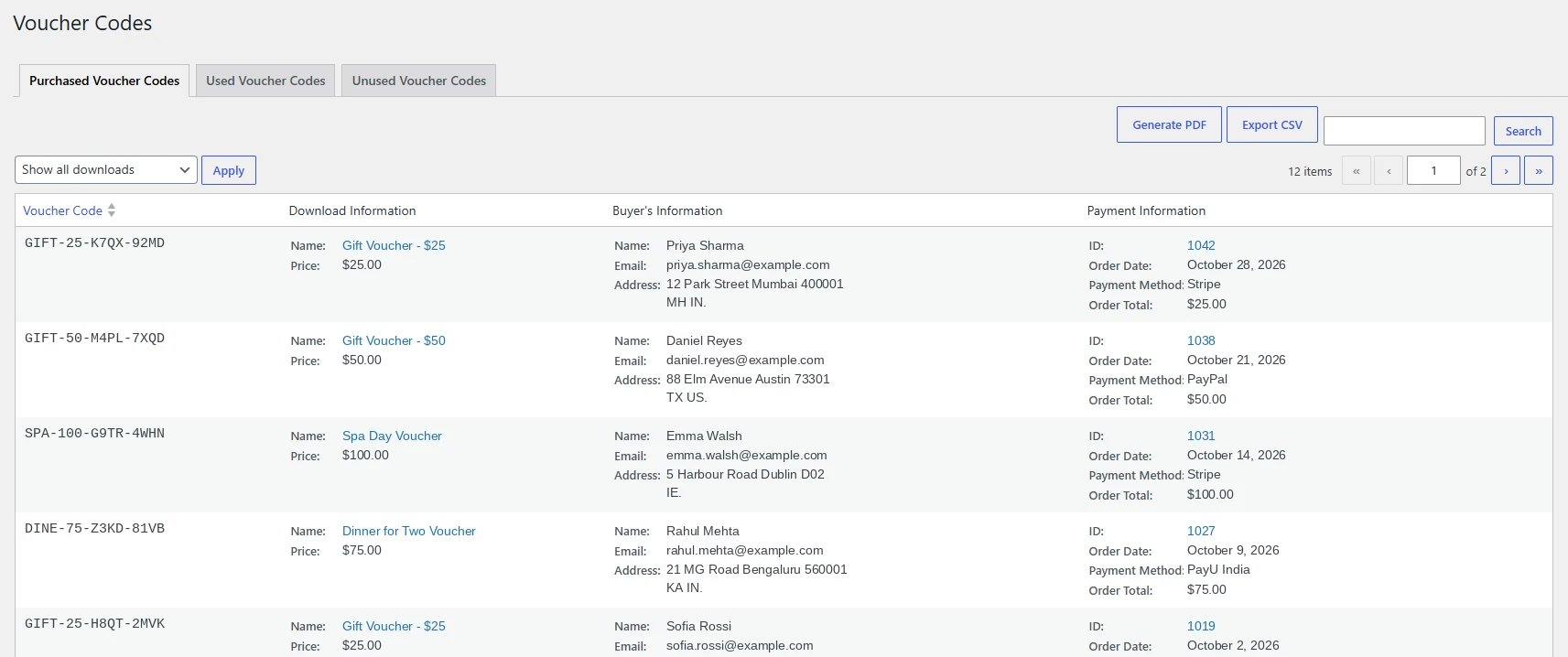
Review Purchased and Redeemed Voucher Codes
Check purchased and used voucher records to follow what happens after a sale. View the associated buyer, product, and payment information, with redemption details available for used codes.
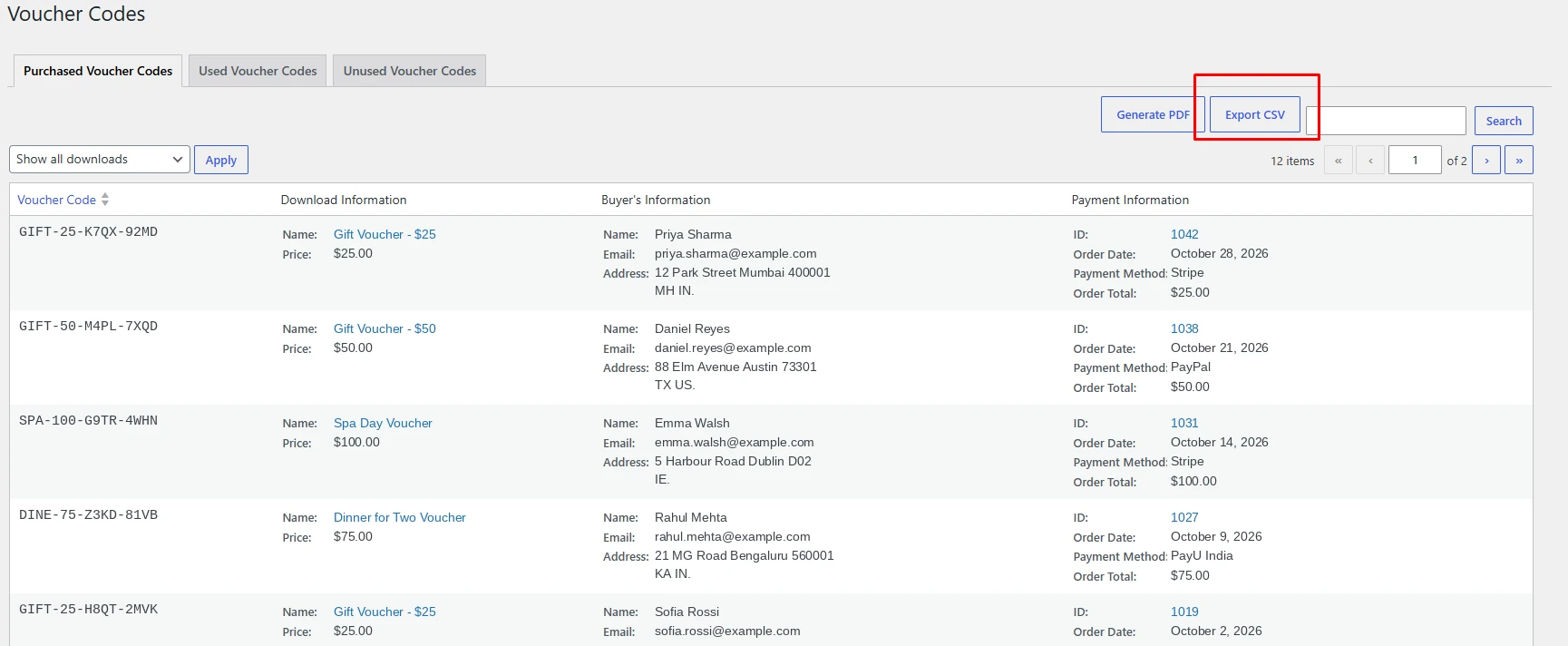
Export Voucher Reports as CSV or PDF
Download voucher records for reporting and day-to-day administration. Use CSV files when you need to work with the data in a spreadsheet, or export a PDF for a readable report.
Give customers something worth gifting. Start selling branded PDF vouchers from your EDD store.

Choose Your EDD PDF Vouchers Plan
Find the licence that fits your store, business websites, or client projects.
1 Website
Includes all plugin features, updates, and support throughout your subscription
3 Website
Includes all plugin features, updates, and support throughout your subscription
Unlimited Websites
Includes all plugin features, updates, and support throughout your subscription
PDF Voucher Tools Included in Every Plan
Design your vouchers, personalise the purchase, and keep redemption records organised.
- Drag-and-Drop Voucher Designer
- Fixed or Purchase-Based Expiry
- Recipient Names and Messages
- Separate PDFs for Individual Codes
- Customer Template Selection
- Voucher Details in Orders
- CSV Code Import
- Multiple Voucher Templates
- Online Code Validation
- Voucher Redemption
- Voucher Status Records
- CSV and PDF Reports
- Vendor Assignment
- Redeption Locations
- Gift Delivery by Email
- Voucher Code Generation
14-Day money-back guarantee. No questions asked!
Applies to all eligible products or services purchased through our platform. If you are not satisfied with your purchase for any reason, you may request a refund within 14 days from the date of purchase.
Discover what our customers have to say about their experience with our plugins. Read genuine reviews and see how our solutions help businesses simplify their workflow. 5.0/5
Are you a customer? Mandalaibiza Good plugin and great support! Cagger This plugin is awesome! I had an issue upon activation where the PDF Library wouldn't work to render the vouchers. The support team is very responsive and fixed it right away and now everything works perfectly. They were also willing to provide customization for my use-case for a reasonable fee. Customization was completed in a timely manner and the code quality of the original plugin and add-on is superb.All Ratings & Reviews
Submit your review
Customer Support
Customer Support
More Screenshots
Technical Info


Frequently Asked Questions
All features included on every plan. Pick the license that fits your store.

No, the vouchers not intended to be redeemed on your online shop. This does not integrate with Easy Digital Downloads Coupons.
There is a option global settings “Multiple voucher”. if you tick that option it will generate multiple voucher pdf.
There is a option global settings “Multiple voucher”. if you tick that option it will generate multiple voucher pdf.
yes, you can add following shortcodes in custom block of the voucher template.
Supported Shortcodes are :
{redeem} – displays the voucher redeem instruction.{sitelogo} – displays the voucher site logo.{vendorlogo} – displays the vendor logo.{expiredate} – displays the voucher expire date.{vendoraddress} – displays the vendor address.{siteurl} – displays the site url.{location} – displays the location(s).{buyername} – displays the buyer name.{buyeremail} – displays the buyer email.{orderid} – displays the order id.{orderdate} – displays the order date.{productname} – displays the product name.{codes} – displays the voucher code(s).{recipientname} – displays the recipient name for voucher code(s).{recipientemail} – displays the recipient email for voucher code(s).{recipientmessage} – displays the recipient message for voucher code(s).{productprice} – displays the product price.{payment_method} – – displays the payment method of the order.
By default exported pdf size is 11.81 X 6.30 inches. we have 2 size options.
1) Landscape ( 11.81 X 6.30 inches )
2) Portrait ( 8.27 X 11.69 inches )
The edd_vou_send_email_body filter is applied to the main message text for “sale notification” and “gift notification” emails sent through EDD Pdf Vouchers. It receives five parameters:
- $body – an HTML string containing the whole contents of the email
- $notification_type – Type of notification like “sale_notification” and “gift_notification”
- $site_logo – The logo displaying in content header
- $subject – The email subject text
- $message – The email message text
When you delete the order, all voucher codes associated with that order will automatically get removed. you can’t manually remove voucher codes, you need to delete the order(s) to remove associated voucher code(s).
All license plans for our EDD Pdf Vouchers plugin, including Starter, Business, and Agency, include 1 year of plugin updates and support, ensuring you have access to the latest features, improvements, and assistance when needed.